DMO CRM for accountants
A CRM for accountants, ready for tax season.
Pick Accounting and bookkeeping when you start, and DMO CRM opens with boards for tax returns, bookkeeping and sales tax filings, the to-dos for each return, and the fields your clients need, with a version for the United States, one for Canada and one for every other country.
14-day free trial, no card needed. Every screen on this page is the real DMO CRM with made-up sample data.
See it work
Follow two returns through tax season
A made-up firm, Maple Ledger Accounting, United States version. DMO CRM calls them Clients. Every step is a real screen.
Accounting and bookkeeping
1Sign-up
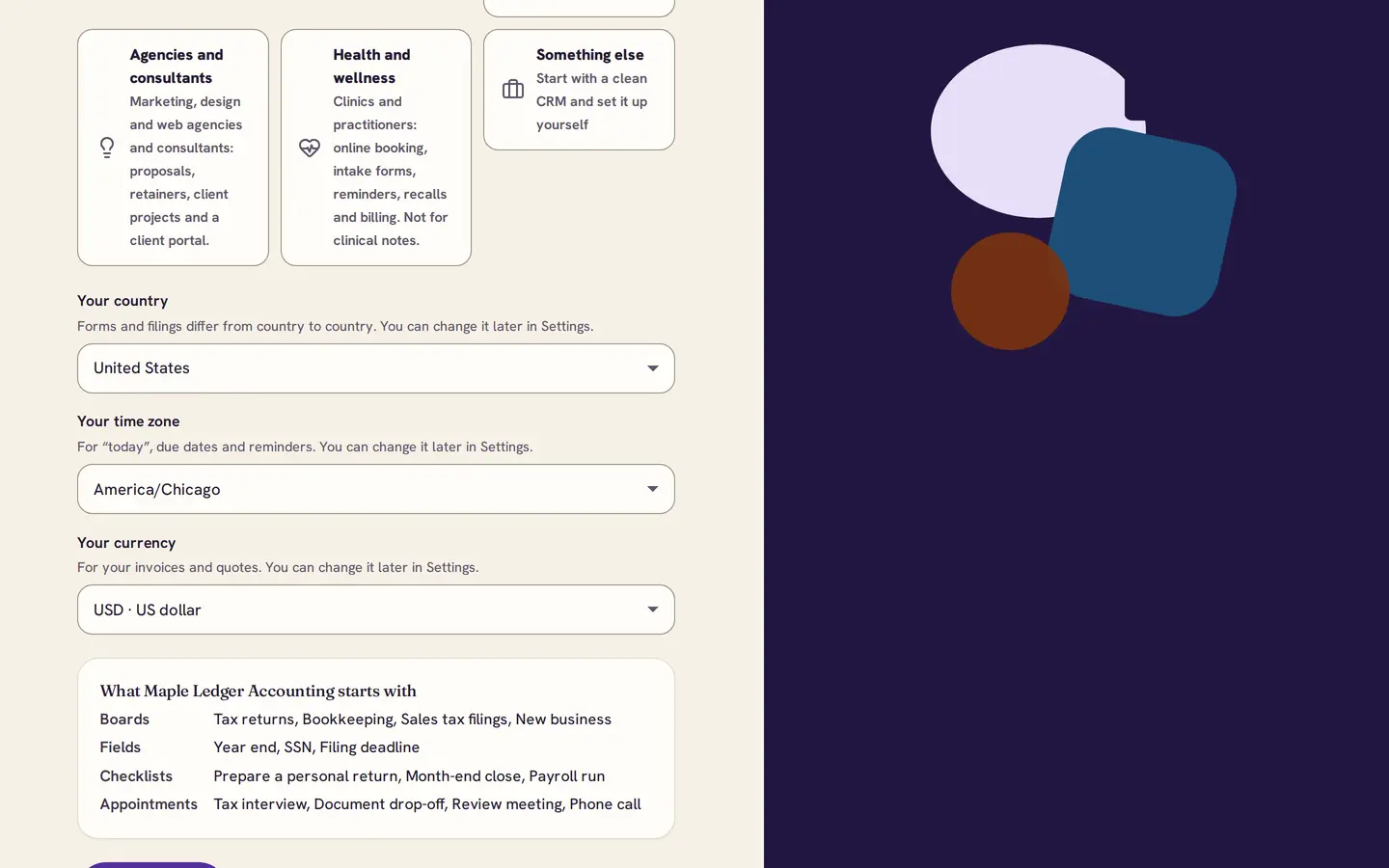
Pick your industry and country
Choose Accounting and bookkeeping and your country. In the United States you get Tax returns, Bookkeeping, Sales tax filings and a New business board, and an SSN field on each client.
2Tax returns
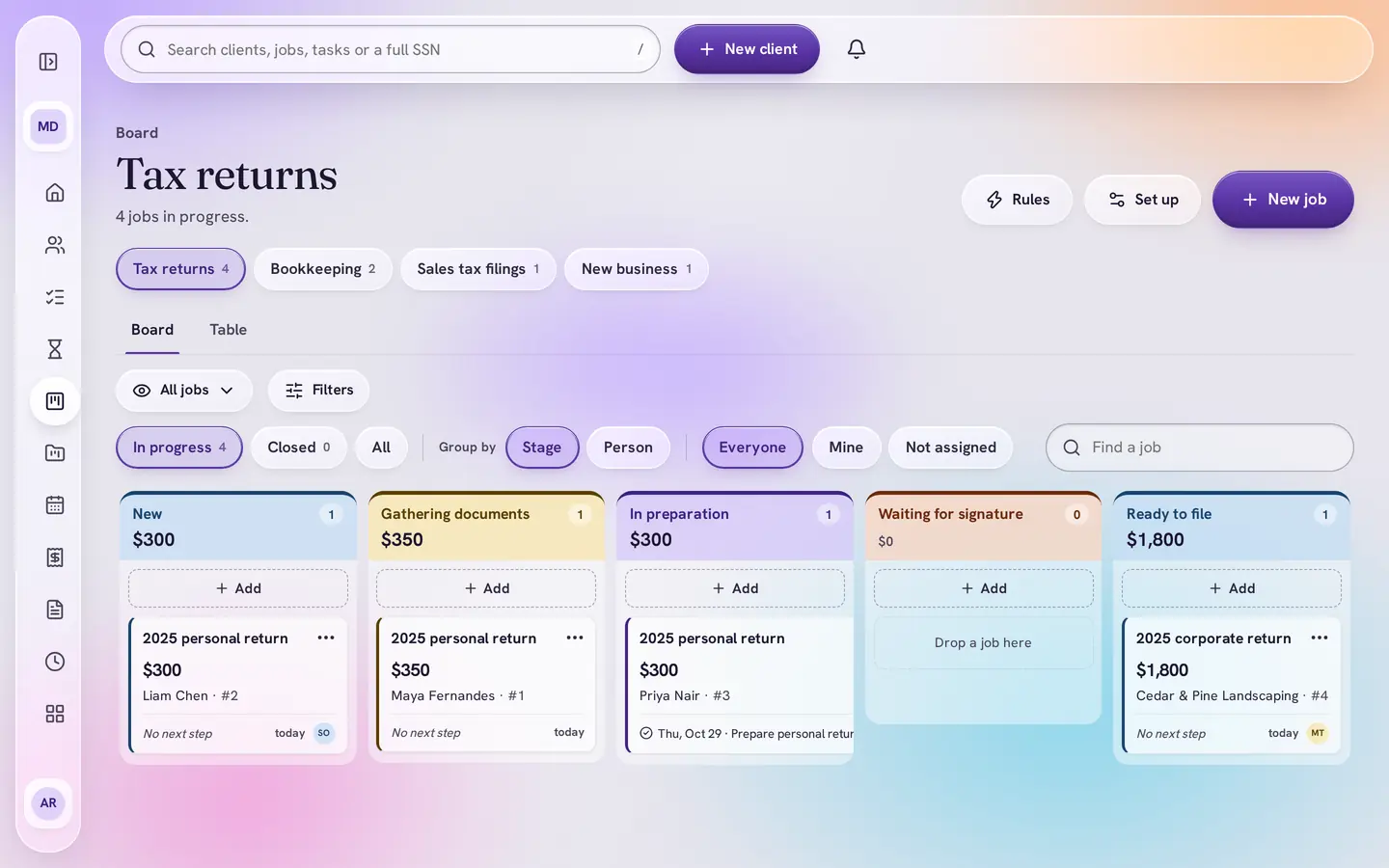
Every return, at a glance
Returns move from New and Gathering documents through In preparation and Waiting for signature to Filed, with the fee and who is on each one.
3To-dos
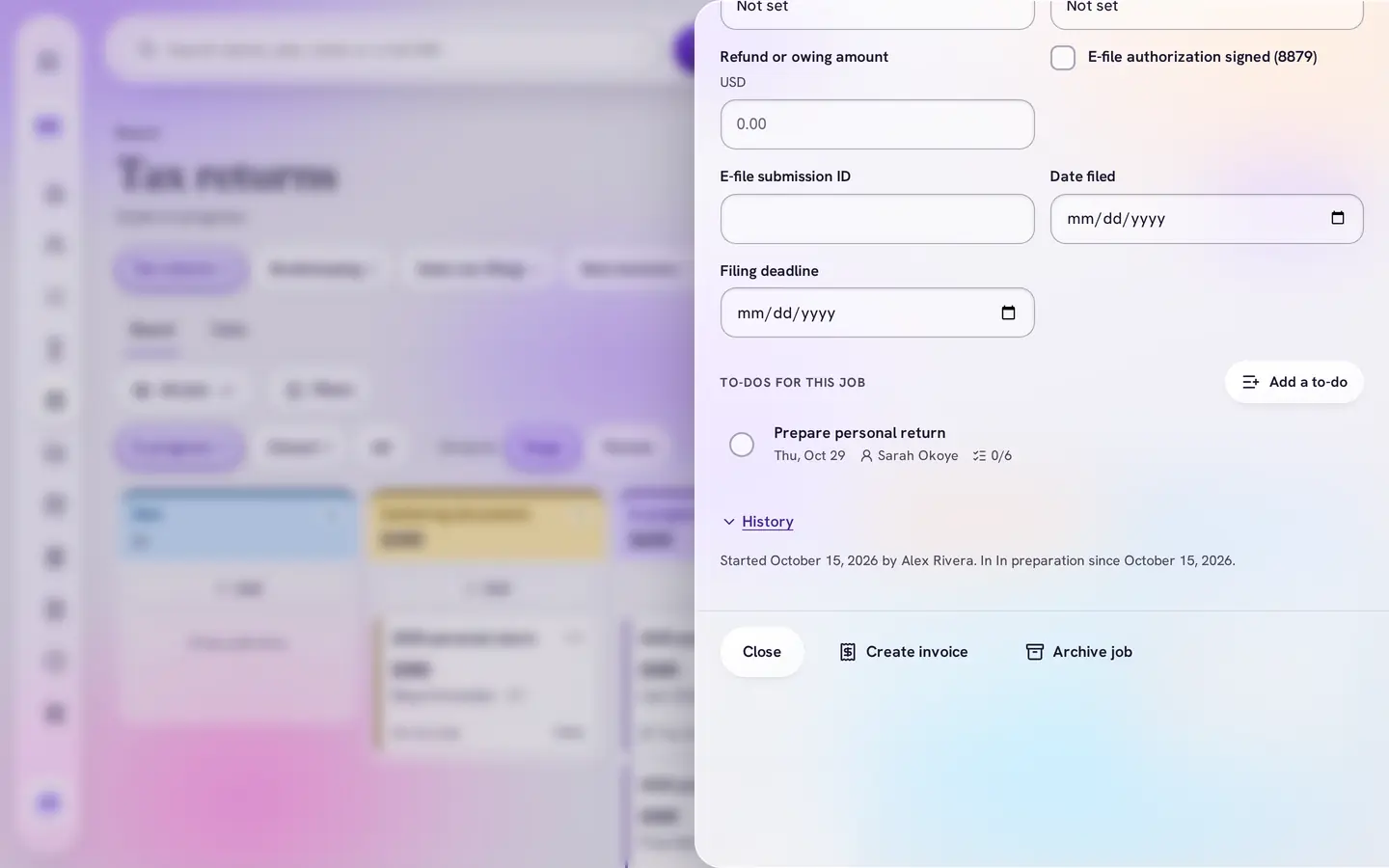
Start a return, get its checklist
Move a return to In preparation and the to-do is added for you: Prepare personal return, due in two weeks, with six steps from forms received to filed.
4Stage rules
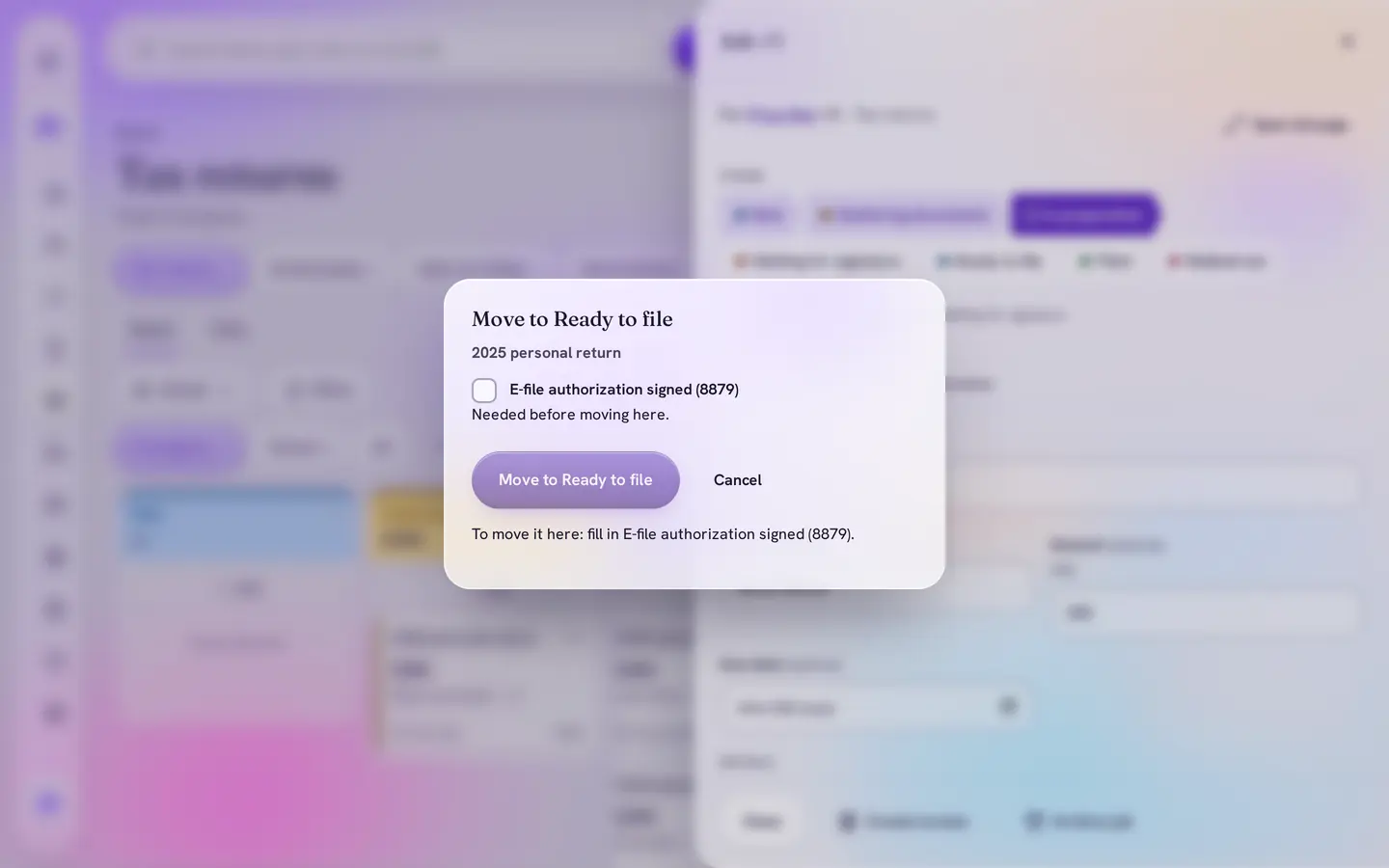
No filing without the signed 8879
Before a return can be Ready to file, DMO CRM asks for the signed e-file authorization (Form 8879). In the Canadian version it asks for the T183.
5Calendar
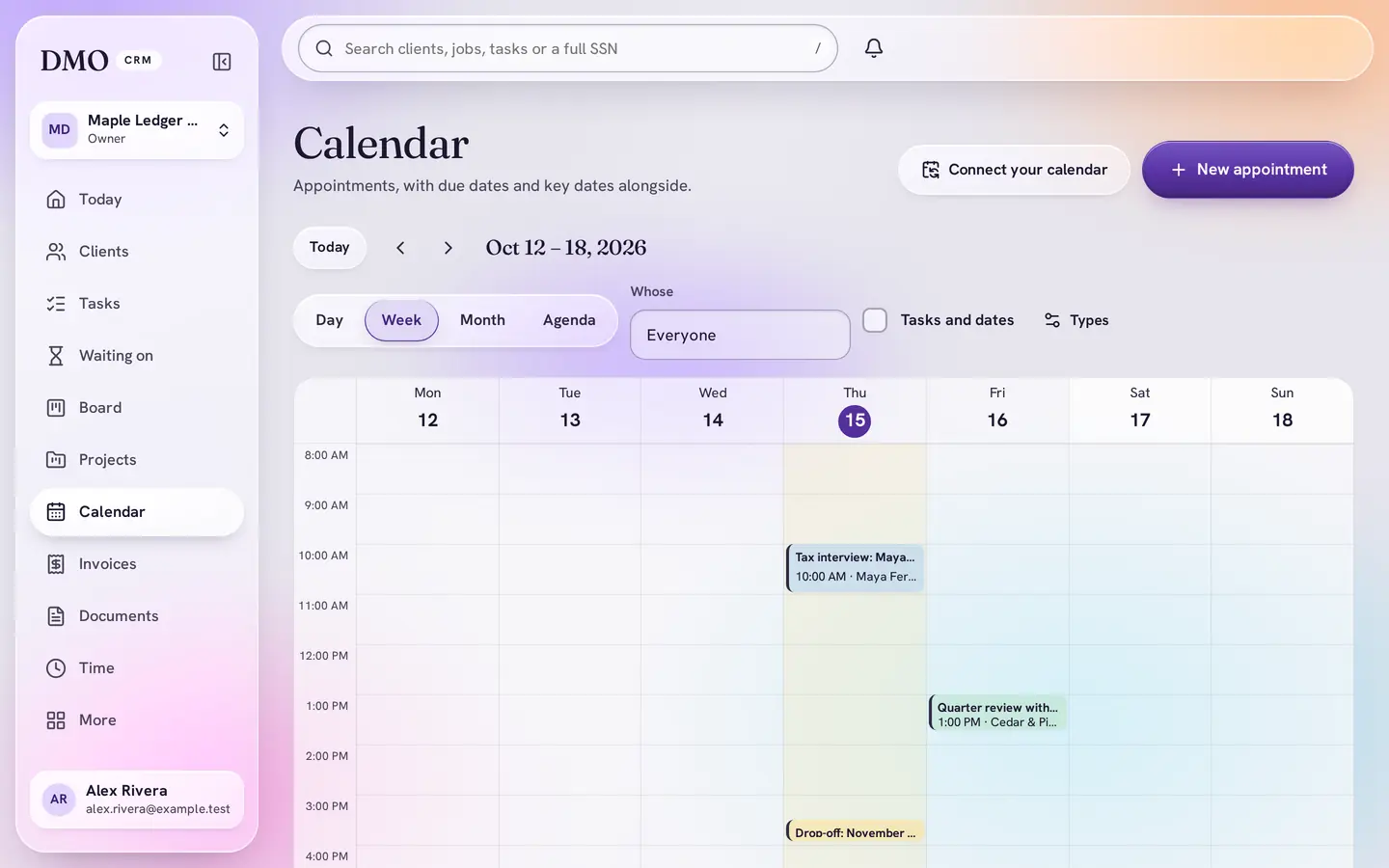
Interviews and drop-offs, booked
Four appointment types are ready: tax interview, document drop-off, review meeting and phone call, each with its own length and color.


What the kit sets up
Everything it adds, in plain words
Adding a kit only adds: names you already use are skipped, and nothing is changed or removed. Change any of it later, or add another kit if your business does more than one kind of work. It also switches on Board, Calendar, Documents, Invoicing, Reports, Projects, Client portal and Automations.
Tax returns
- New
- Gathering documents
- In preparation
- Waiting for signature
- Ready to file
- Filed
- Walked out
Bookkeeping
- Agreement signed
- Waiting for records
- Up to date
- Year complete
- Ended
Sales tax filings
- Collecting
- Preparing
- Filed
- Not needed
New business
- Enquiry
- Talking
- Quote sent
- Won
- Lost
Fields
- Year end on each client
- Filing deadline on returns and filings
- Tax year, return type and refund or owing on each return
- SSN (United States): encrypted, shown masked, and revealing it needs your PIN and is recorded
Checklists
- Prepare a personal return
- Month-end close
- Payroll run
Appointment types
- Tax interview (1 hour)
- Document drop-off (15 minutes)
- Review meeting (45 minutes)
- Phone call (30 minutes)
A version for your country
DMO CRM asks for your country when you start and adds that version. You can change it later in Settings.
- United States
- Tax returns for Forms 1040, 1120, 1120-S, 1065 and 1040-X and state-only returns, the 8879 e-file authorization, Sales tax filings by state, and an SSN field.
- Canada
- Tax returns for T1, T2 and T3 with the T183 authorization and the SIN, GST/HST filing, and Company incorporation.
- Another country
- Tax returns and Sales tax, VAT or GST filings without any one country’s forms or numbers.
Plans
Works on Essentials
Every board, field, checklist and appointment type in the kit works on Essentials, $15 a user a month. Automations and the Client portal need Plus or above: during your free trial they are switched on for free, and DMO CRM tells you what needs Plus after the trial ends.
Questions
Is there a version for Canadian firms?
Yes. Pick Canada when you start and the Tax returns board uses T1, T2 and T3 returns, the T183 authorization and the SIN, with GST/HST filing and Company incorporation boards. Firms elsewhere get a version without one country’s forms.
How is the SSN kept?
It is a private field: encrypted, shown masked, and revealing it needs your personal PIN. Every reveal is recorded. You choose who may see it.
Can our clients send us documents?
Yes, with the Client portal, which the kit switches on during the free trial. Clients sign in with an emailed link to send you files, see where their work is, read invoices and message you.
Start ready. Change anything later.
Tax preparers, bookkeepers and accounting firms. Pick the kit when you start, and add the other DMO CRM add-ons only if you use them.