DMO CRM for trades and home services
A CRM for home services, ready on day one.
For plumbing, heating, cooling and electrical businesses. Pick Trades and home services when you start, and DMO CRM opens with boards for service calls, installations and maintenance plans, checklists for every visit and the automations that keep work moving.
14-day free trial, no card needed. Every screen on this page is the real DMO CRM with made-up sample data.
See it work
Follow one service call from the phone to the van
A made-up plumbing company, Brightline Plumbing & Heating, takes a no-hot-water call. DMO CRM calls the people you work for Customers. Every step is a real screen.
Trades and home services
1Sign-up
Pick your industry
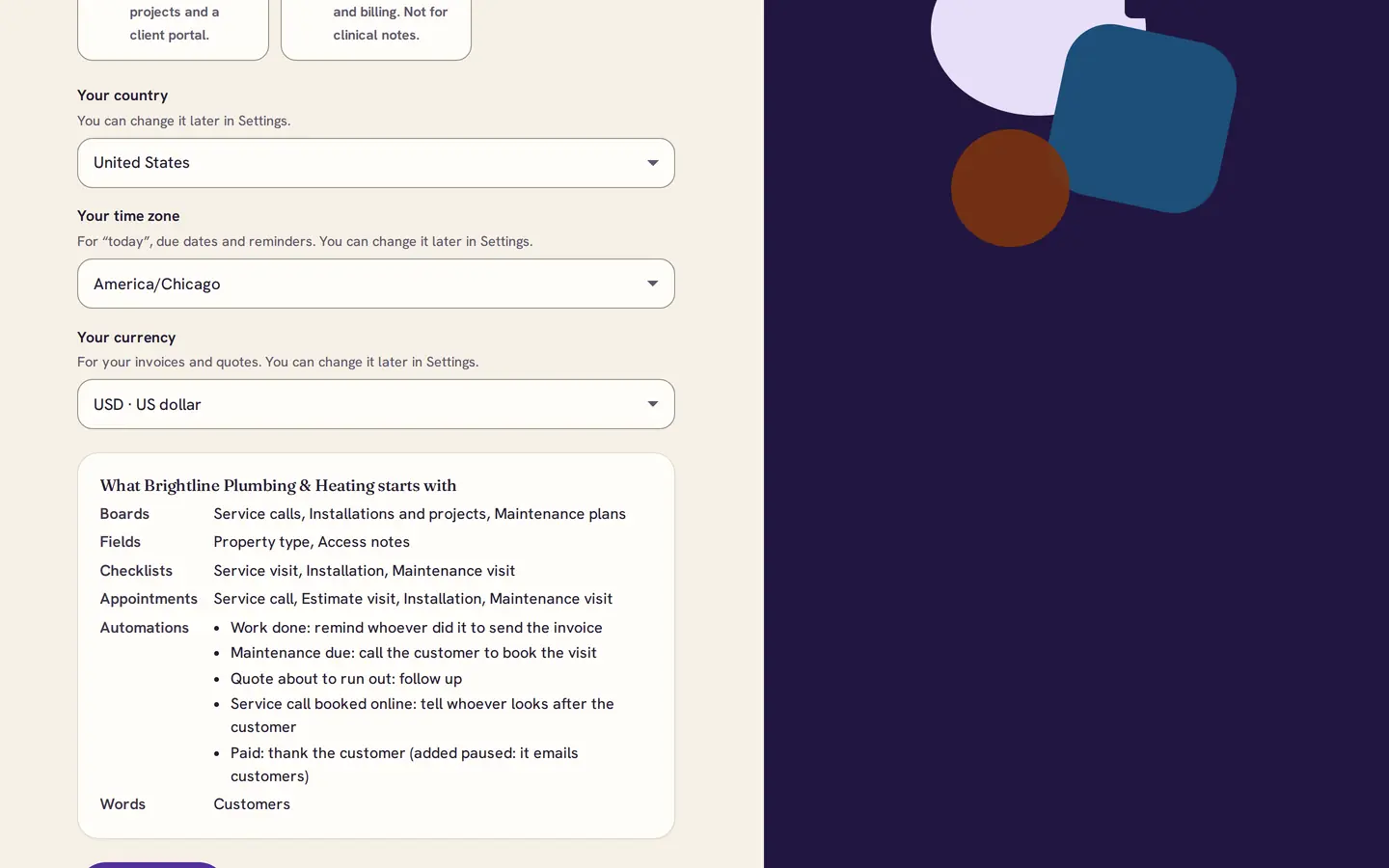
When you start, choose Trades and home services and your country. Before anything is created, DMO CRM shows exactly what you get: three boards, two customer fields, three checklists, four appointment types and five automations.
2Service calls
Every call on one board
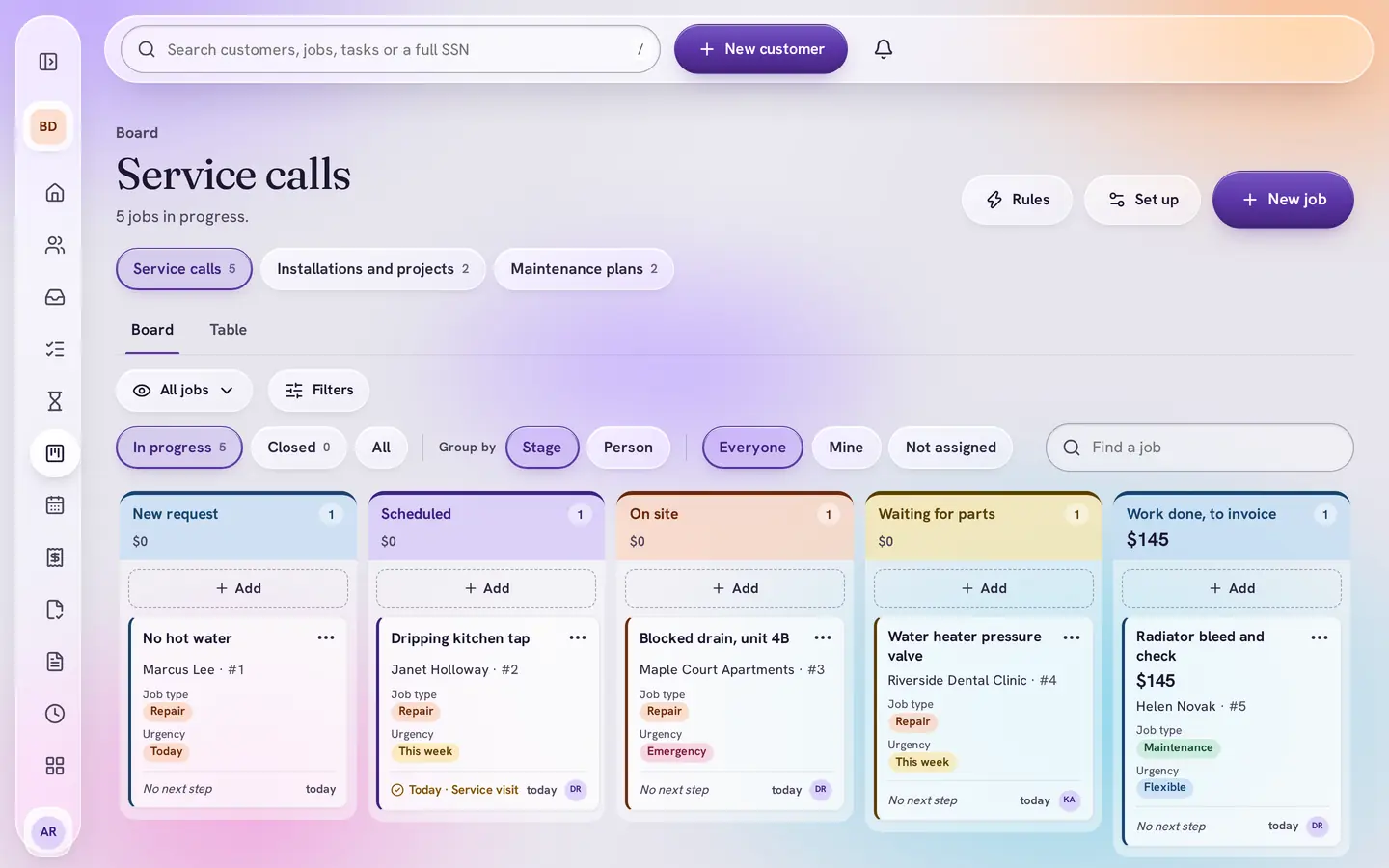
Calls move from New request through Scheduled, On site and Waiting for parts to Work done, to invoice and Paid. Each card shows the job type and how urgent it is, so emergencies stand out.
3Stage rules
Nothing gets scheduled half-done
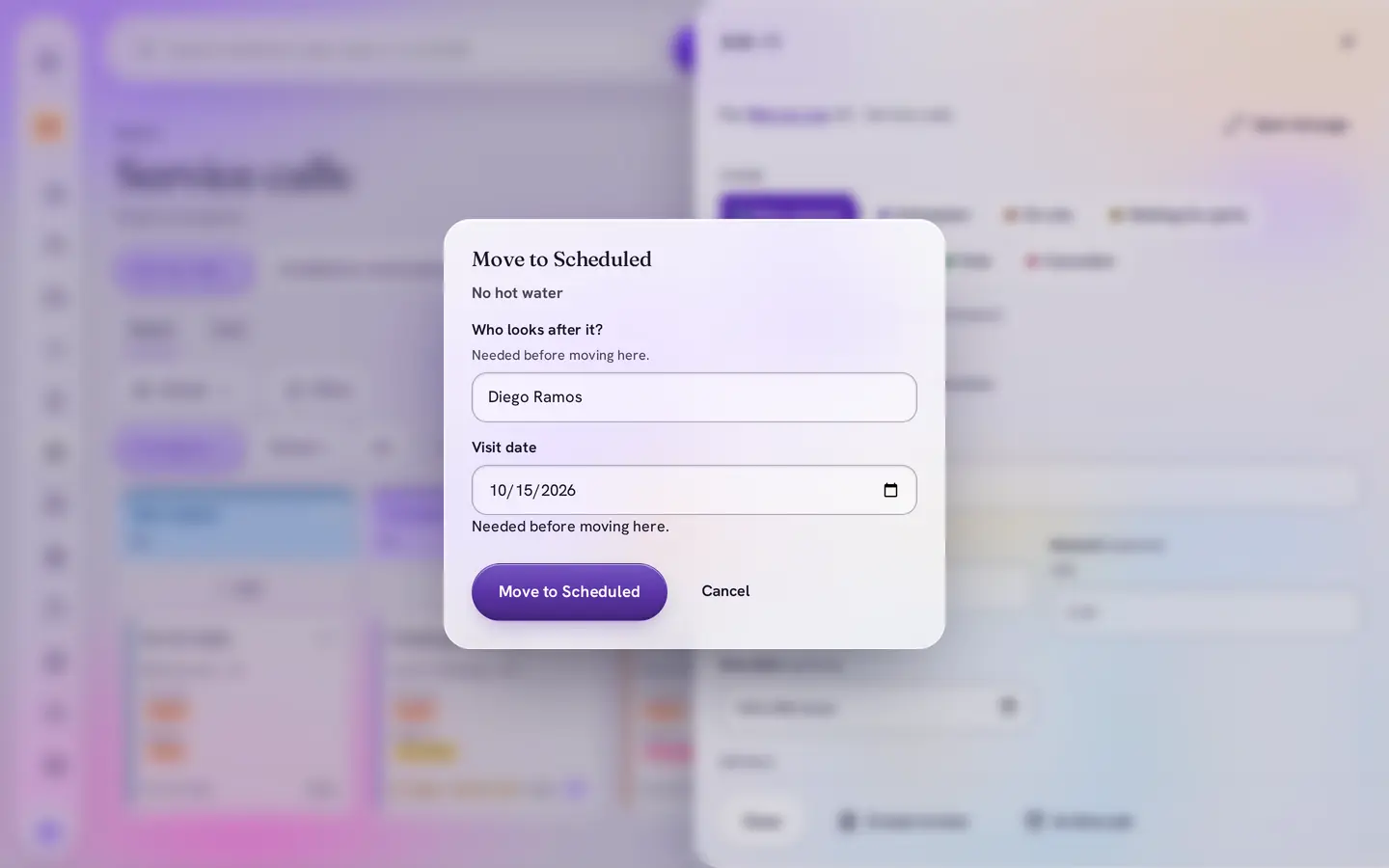
Moving a call to Scheduled asks two things first: which technician is going, and the visit date. The board will not lose track of who is where.
4Checklist
The visit checklist is already there
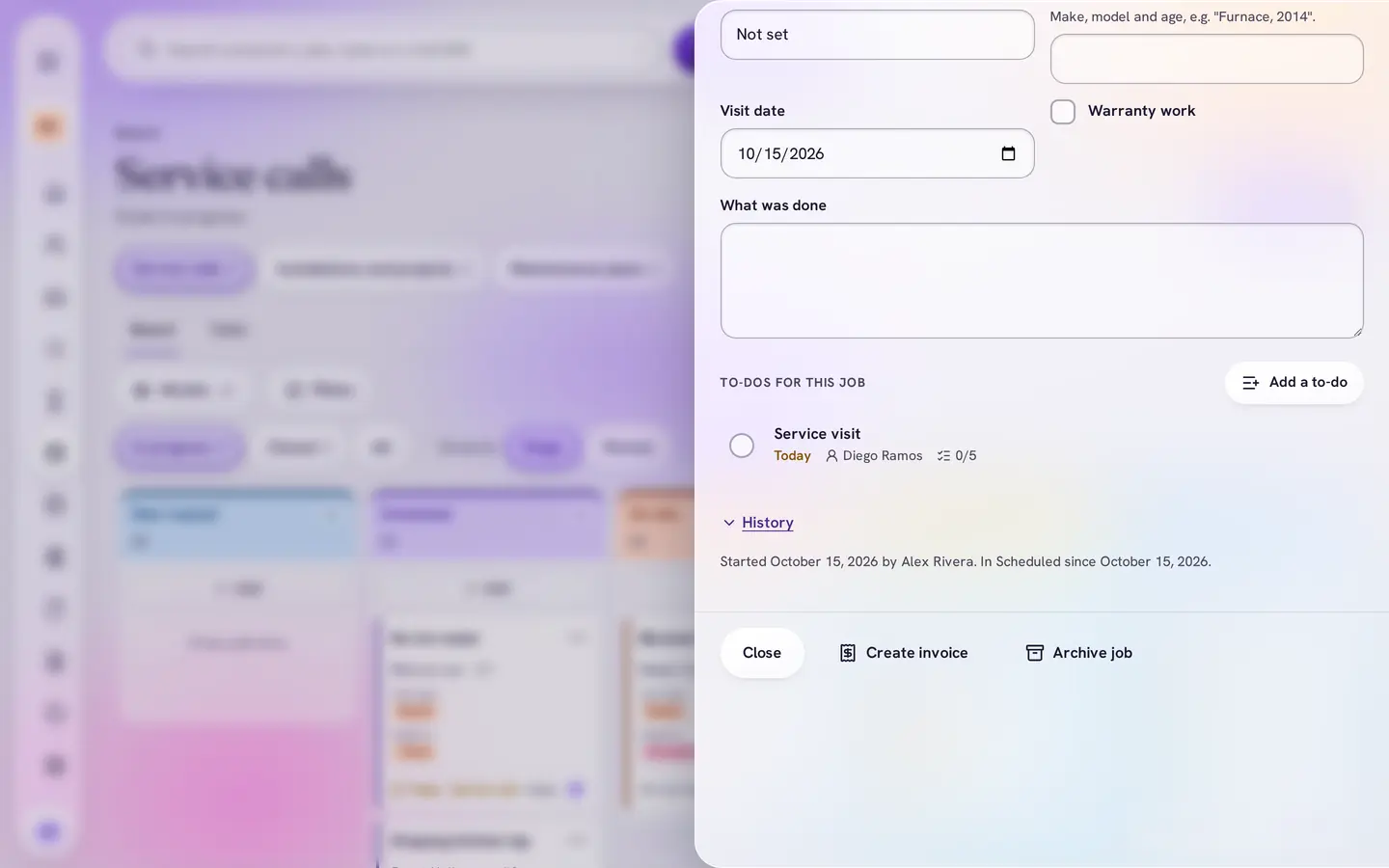
The stage adds a Service visit to-do for the technician, with five steps: time confirmed, parts loaded, work done and photos taken, customer signed off, invoice sent.
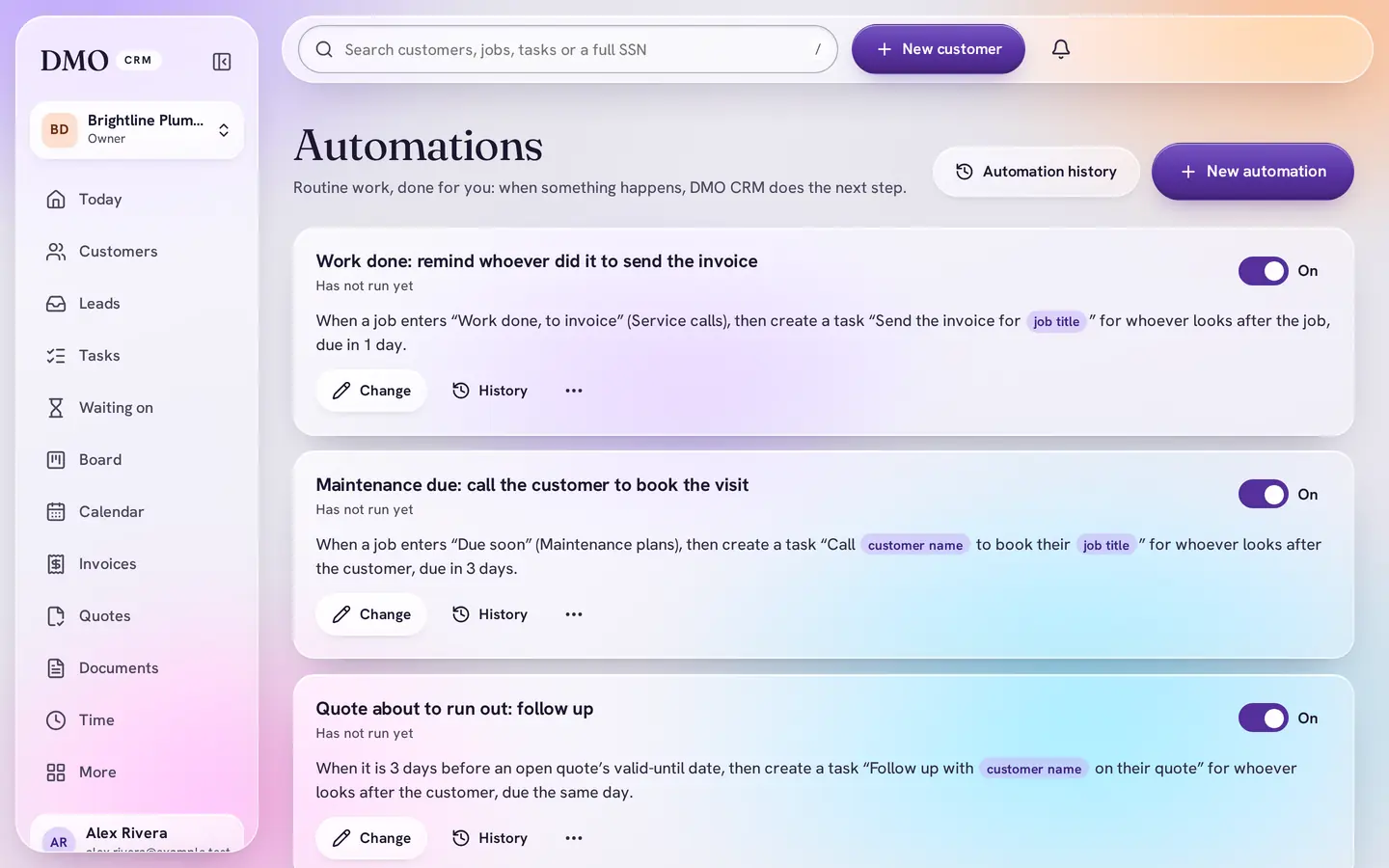
5Automations
The follow-ups write themselves
When work is done, the technician is reminded to send the invoice. Maintenance due, quotes about to run out and online bookings each get a task or a note to the right person.
Automations need Plus or above after the free trial.


What the kit sets up
Everything it adds, in plain words
Adding a kit only adds: names you already use are skipped, and nothing is changed or removed. Change any of it later, or add another kit if your business does more than one kind of work. It also switches on Board, Calendar, Booking page, Documents, Invoicing, Products and quotes, Reports, Leads and forms, Client portal and Automations.
Service calls
- New request
- Scheduled
- On site
- Waiting for parts
- Work done, to invoice
- Paid
- Cancelled
Installations and projects
- Site visit booked
- Quote sent
- Quote accepted
- Materials ordered
- Installation booked
- Signed off
- Lost
Maintenance plans
- Due soon
- Customer contacted
- Visit booked
- Visit done
- Not renewing
Fields
- Job type and urgency on every service call
- Equipment, visit date and what was done
- Plan and next visit due on maintenance plans
- Property type and access notes on each customer (parking, pets, who lets you in)
Checklists
- Service visit
- Installation
- Maintenance visit
Appointment types
- Service call (2 hours)
- Estimate visit (1 hour)
- Installation (a full day)
- Maintenance visit (90 minutes)
Automations
- Work done: remind whoever did it to send the invoice
- Maintenance due: call the customer to book the visit
- Quote about to run out: follow up
- Service call booked online: tell whoever looks after the customer
- Paid: thank the customer (added paused, so you read it before it emails anyone)
No price list comes with the kit: your prices are yours. Add them once and use them on every quote.
Plans
Works on Essentials
Every board, field, checklist and appointment type in the kit works on Essentials, $15 a user a month. Automations and the Client portal need Plus or above: during your free trial they are switched on for free, and DMO CRM tells you what needs Plus after the trial ends.
Questions
Does it work for HVAC and electrical as well as plumbing?
Yes. The kit is written for plumbing, heating, cooling and electrical work: the job types are repair, maintenance, installation, inspection and emergency, and the maintenance plans cover furnace tune-ups, air conditioning checks and water heater service.
Can customers book a service call online?
Yes. The kit switches on the Booking page with a Service call appointment type. When someone books online, whoever looks after that customer is told.
Does the kit come with prices?
No. A kit never ships made-up prices. Add your own services and parts to the price list once, then build quotes from it.
Start ready. Change anything later.
Plumbers, HVAC and heating companies, electricians and other trades who work at the customer’s place. Pick the kit when you start, and add the other DMO CRM add-ons only if you use them.