DMO CRM for construction
A construction CRM, from bid to close-out.
For general contractors, builders and renovators. Pick Construction and building when you start, and DMO CRM opens with a Bids board, a board for projects in progress, ready-made renovation and new-build plans, and the checklists for permits, punch lists and close-out.
14-day free trial, no card needed. Every screen on this page is the real DMO CRM with made-up sample data.
See it work
Follow a bid, then a build
A made-up builder, Timberline Builders, United States version. DMO CRM calls them Clients. Every step is a real screen.
Construction and building
1Sign-up
Pick your industry
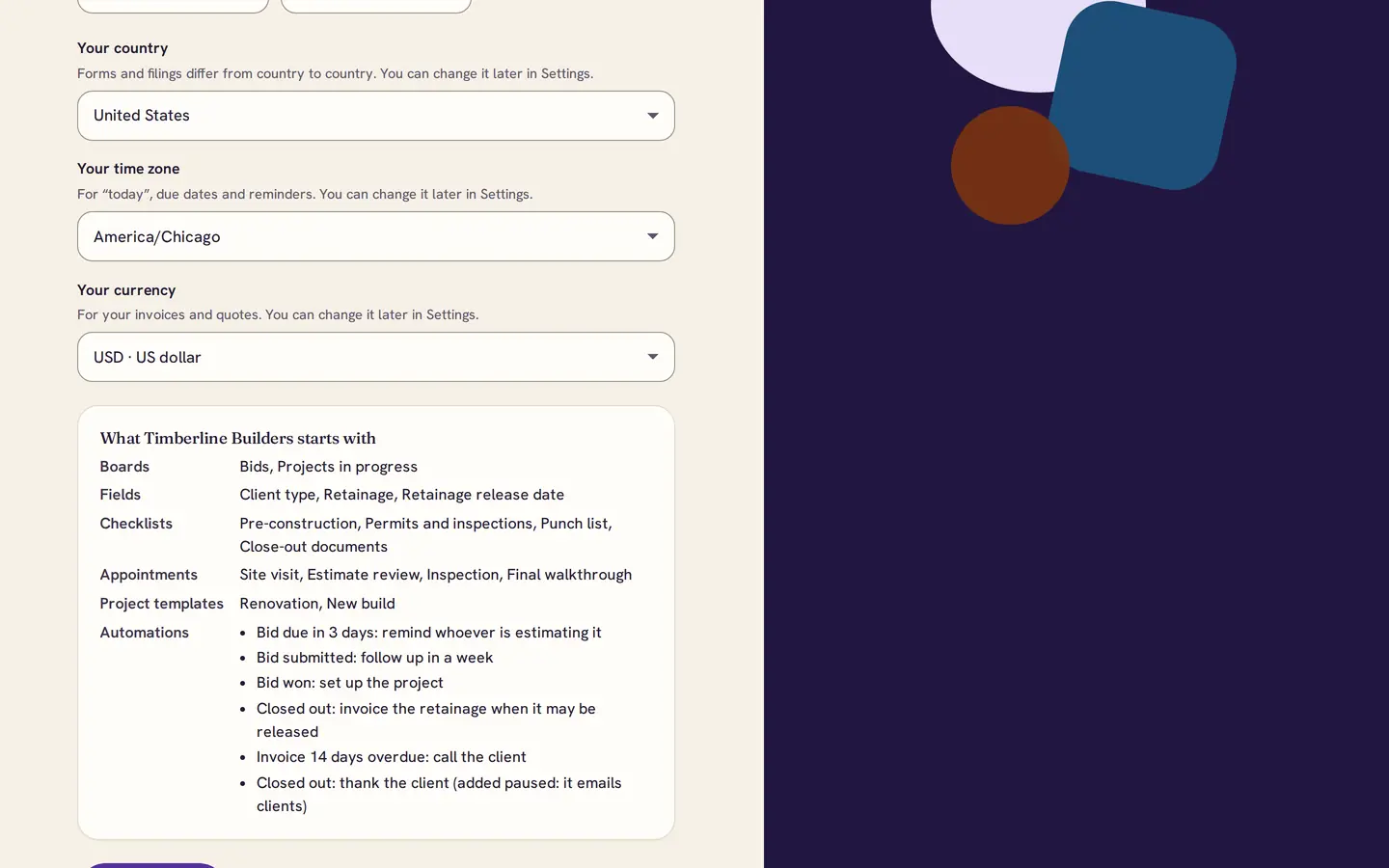
Choose Construction and building and your country. The summary shows the two boards, the retainage fields, four checklists, two project templates and six automations.
2Bids
Every bid, from invitation to won
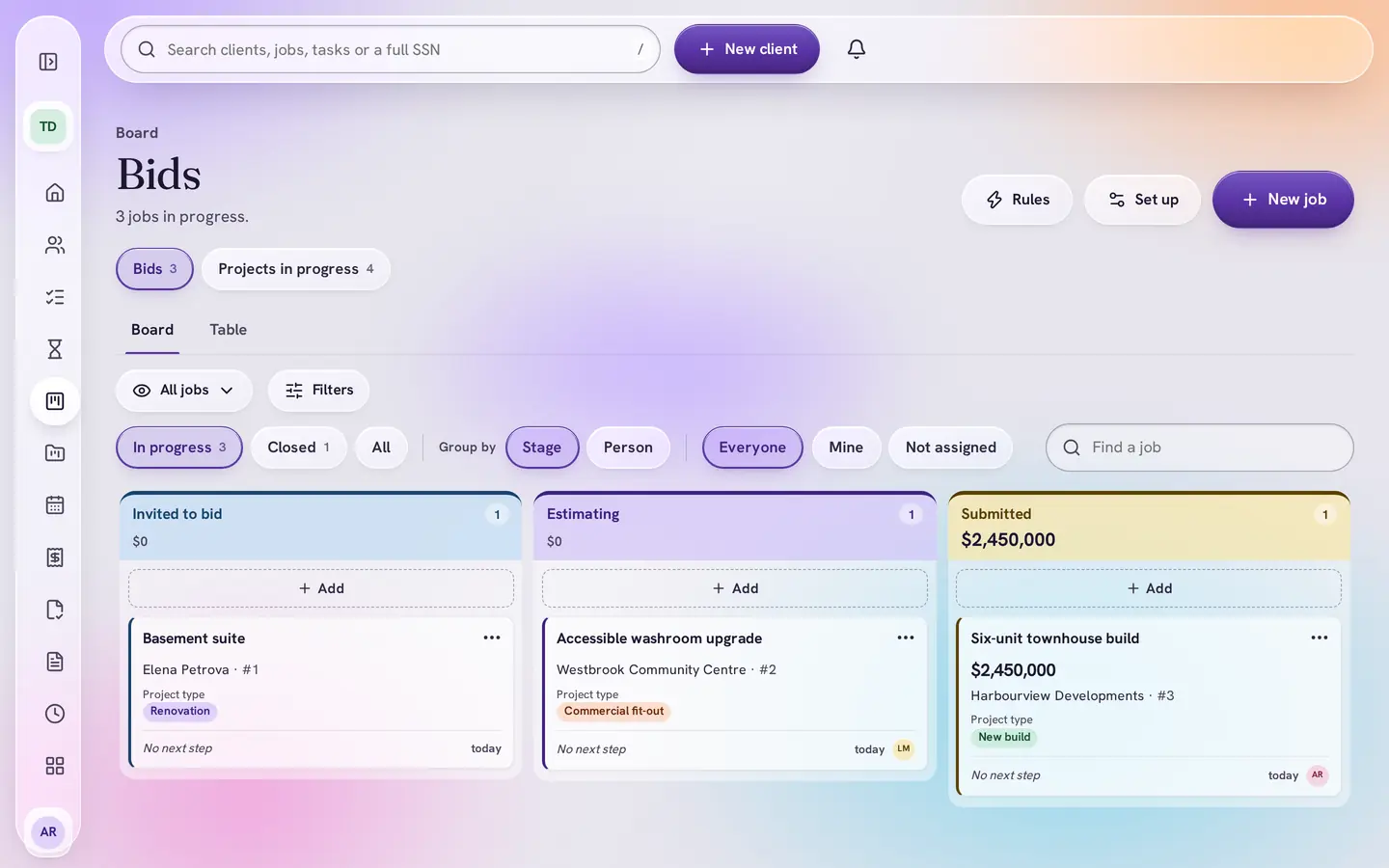
Bids move from Invited to bid through Estimating to Submitted, then Won or Lost. The job’s due date is the bid deadline, and you are reminded three days before it.
3Stage rules
No bid goes out without a number
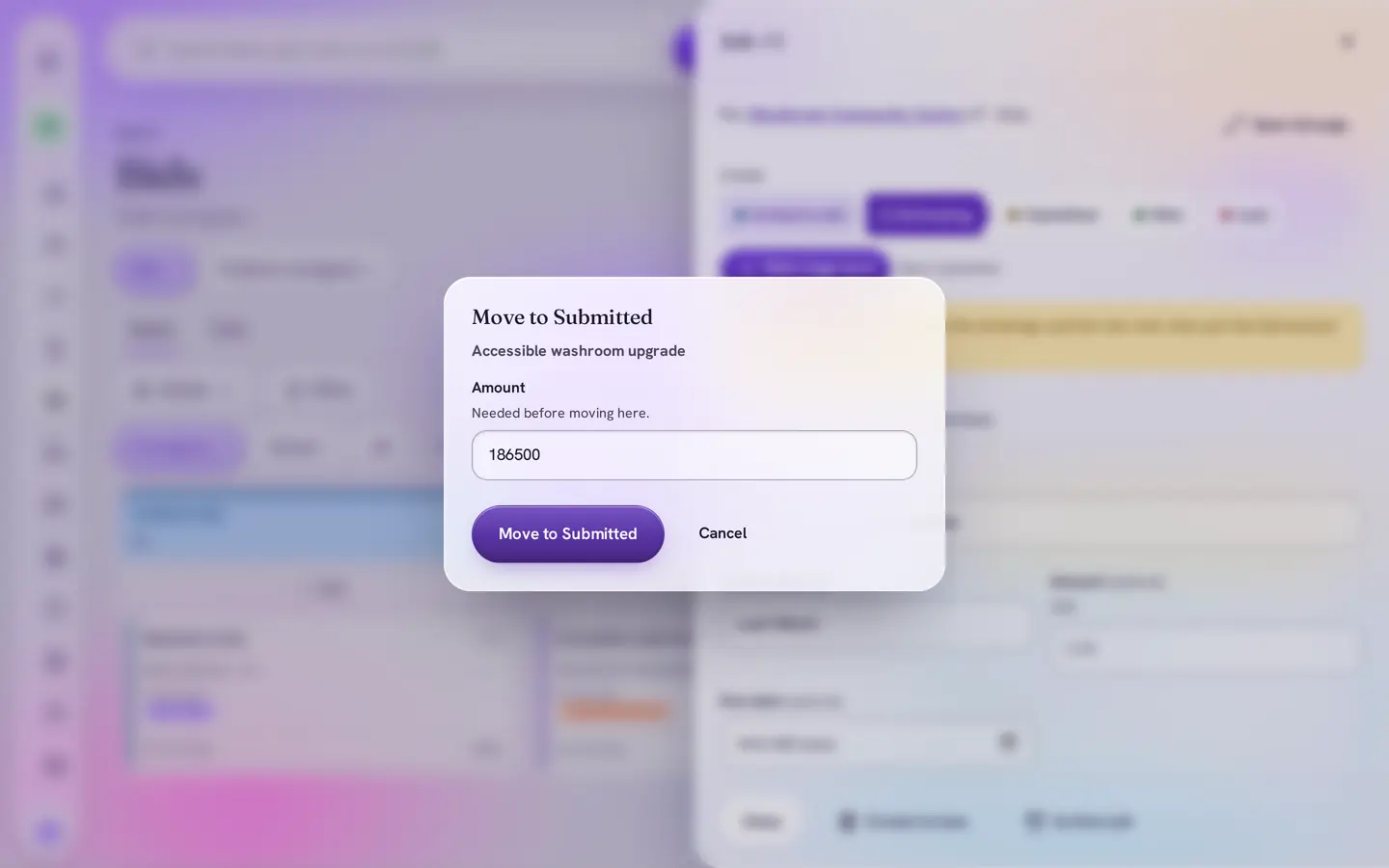
Moving a bid to Submitted asks for the amount first. A week later, an automation reminds you to follow up.
4Retainage
Retainage, on the job
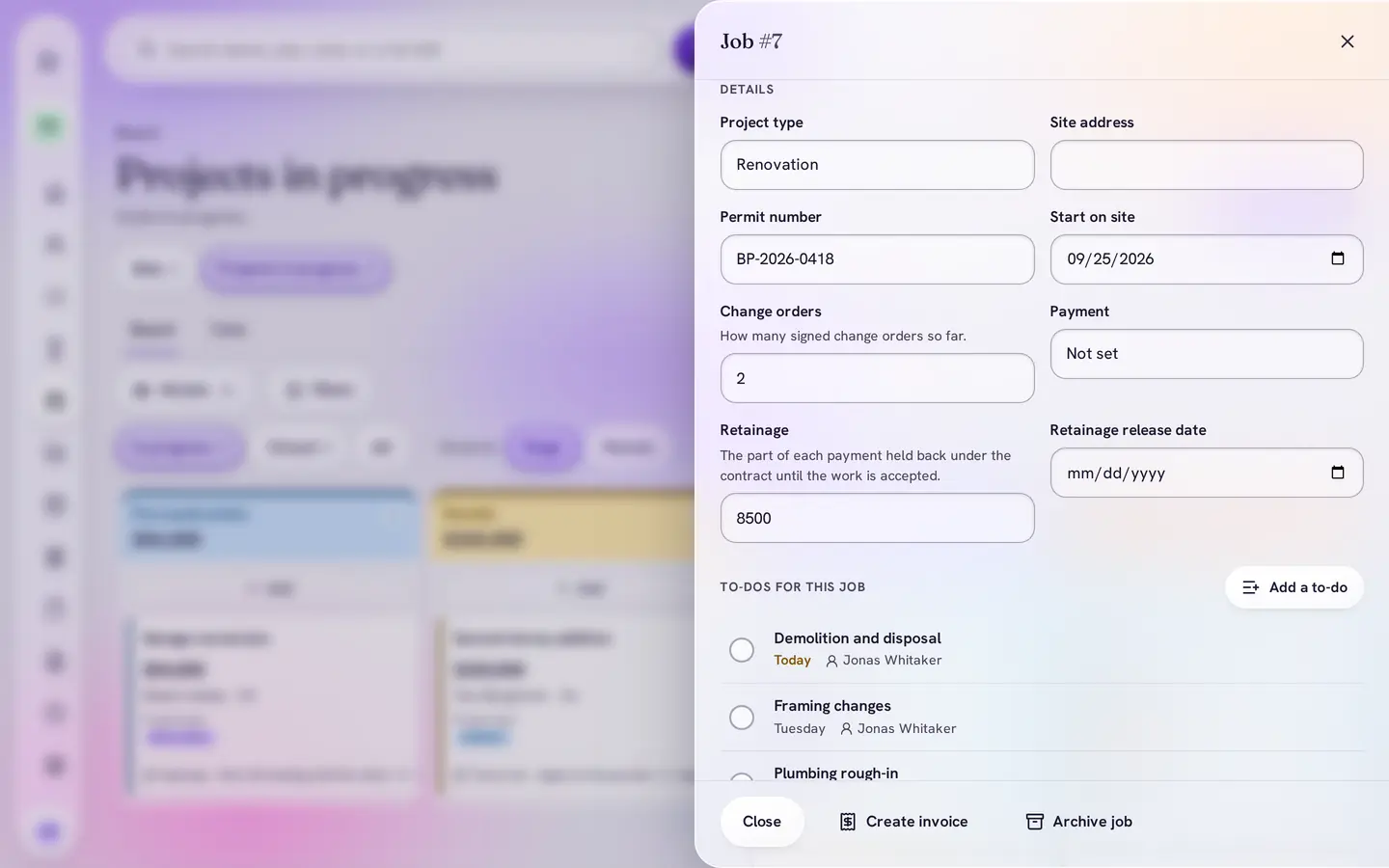
Each job in progress keeps its permit number, start on site, change orders and the retainage held back, with its release date. In Canada it is called holdback; elsewhere, retention.
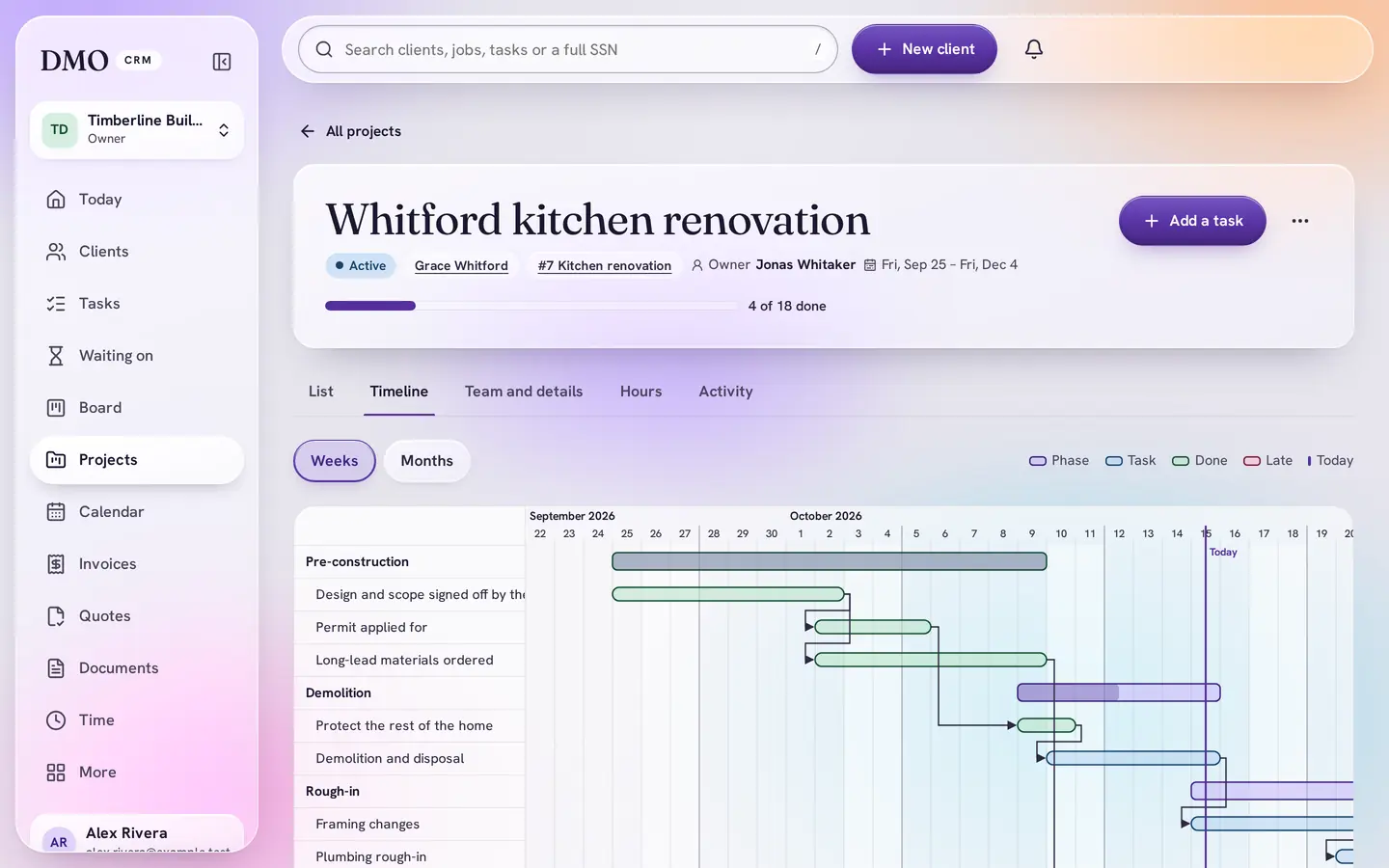
5Timeline
A renovation plan, ready to start
Start a project from the Renovation or New build template: phases from permits to handover, and tasks that wait on each other, like drywall after the rough-in inspection.


What the kit sets up
Everything it adds, in plain words
Adding a kit only adds: names you already use are skipped, and nothing is changed or removed. Change any of it later, or add another kit if your business does more than one kind of work. It also switches on Board, Calendar, Documents, Invoicing, Products and quotes, Projects, Reports and Automations.
Bids
- Invited to bid
- Estimating
- Submitted
- Won
- Lost
Projects in progress
- Pre-construction
- Permits
- In progress
- Punch list
- Closed out
- Cancelled
Fields
- Project type, site address and who invited you to bid
- Permit number, start on site and change orders
- Retainage and its release date (holdback in Canada, retention elsewhere)
- Client type: homeowner, developer, business or public body
Checklists
- Pre-construction
- Permits and inspections
- Punch list
- Close-out documents
Appointment types
- Site visit
- Estimate review
- Inspection
- Final walkthrough
Project templates
- Renovation: about ten weeks, from design sign-off to handover
- New build: about nine months, from drawings to occupancy
Automations
- Bid due in 3 days: remind whoever is estimating it
- Bid submitted: follow up in a week
- Bid won: set up the project
- Closed out: invoice the retainage when it may be released
- Invoice 14 days overdue: call the client
- Closed out: thank the client (added paused, so you read it before it emails anyone)
The kit never says how much may be held back or for how long: that depends on your state, province or country and on the contract.
A version for your country
DMO CRM asks for your country when you start and adds that version. You can change it later in Settings.
- United States
- The money held back from each payment is called retainage, with a retainage release date.
- Canada
- It is called holdback, held under your province’s lien rules until it may be released.
- Another country
- It is called retention.
Plans
Works on Essentials
Every board, field, checklist and appointment type in the kit works on Essentials, $15 a user a month. Automations need Plus or above: during your free trial they are switched on for free, and DMO CRM tells you what needs Plus after the trial ends.
Questions
Does it handle change orders?
Each job in progress counts its signed change orders, and the In progress stage reminds you to update the amount with each one.
Can a client accept a bid online?
Yes. Send the bid as a quote from Quotes and the client accepts it from a link, with no account.
Does it include e-signatures?
Not in the kit. DMO Sign is a separate DMO app with its own plan, and it connects to DMO CRM.
Start ready. Change anything later.
General contractors, home builders and renovators. Pick the kit when you start, and add the other DMO CRM add-ons only if you use them.