DMOCRM
Start free trial

DMO CRM

The best modular CRM.

Start with clients, tasks and Today. Pick your industry and DMO CRM sets itself up for it. Switch on only the add-ons your business uses, like booking, quotes, time sheets or inventory, and pay only for those. Change your mind any time.

14-day free trial, no card needed. Rather not set it up yourself? We can do it for you. Every screen on this page is the real DMO CRM with made-up sample data.

A look at Today in DMO CRM

DMO CRM's Today screen: tiles for 4 overdue, 1 due today, 2 to follow up and 2 in the next 7 days, then notices that 1 task has nobody assigned and 2 expense claims are waiting for approval.

1Today

Your day, counted for you

Overdue, due today, to follow up and the next seven days, ready the moment you sign in. Each tile opens its list.

2Today

What needs you, said plainly

When something waits on you, like expense claims to approve or a task nobody has, Today says so. One click takes you there.

Modular by design

Build your CRM. Pay for what you use.

Every DMO CRM starts with clients, tasks, Waiting on and Today. Switch on the parts your business uses, leave the rest off, and switch them back any time. Nothing is deleted when you turn something off.

Always there

The heart of every DMO CRM.

  • Today, clients and tasksEvery client on one page, tasks with checklists and repeats, and a Today screen that tells you what to do next.Always onSee it work
  • Waiting onDocuments, signatures, replies and payments you are owed, with who follows up and when.Always onSee it work

In every plan

Switch on what you use. No extra cost.

  • BoardDrag-and-drop stages for your work, a list view, rules per stage and ready-made boards.In every planSee it work
  • CalendarAppointments with reminders, next to every task and date that matters. Syncs with Google and iCloud.In every planSee it work
  • Booking pageA public link where clients pick a free time for an appointment type. Each booking lands on your calendar.In every planSee it work
  • Leads and formsEnquiry forms for your website or a QR code at the desk, a Leads inbox with duplicate checks, and questionnaires.In every planSee it work
  • Products and quotesA price list of your services and products, and quotes your clients accept with a link. Accepted quotes become invoices in a click.In every planSee it work
  • InvoicingSimple invoices with your own tax rates (sales tax, VAT or GST), payments recorded, and what is overdue.In every planSee it work
  • ProjectsLonger work for a client: phases, tasks that wait on each other, a timeline, progress and ready-made templates.In every planSee it work
  • DocumentsClient files with versions, virus-checked, encrypted, and every download recorded.In every planSee it work
  • Reports and dashboardsWork won and lost, what you billed and collected, and who got things done, for any period.In every planSee it work

Paid add-ons

Add one at a time, or get them in a package.

  • Client portalYour clients sign in with an emailed link to see how their work is going, send you files, read invoices, answer quotes and questionnaires, and message you.$2.99 a user a monthSee it work
  • InventoryStock of the products you sell, per office: what came in, what went out on invoices, low-stock alerts, vendors and purchase orders.$5.99 for your team a monthSee it work
  • DMO HRClock in and out, time sheets, shifts and time off, plus expense claims your managers approve.$2.49 a user a monthSee it work
  • VoiceTalk instead of typing in notes, job updates, call logs and tasks, and teach it your words. Its own 14-day free trial.$5.99 a user a monthWhat it does
  • DMO SIYour AI helper, built in. It sets up DMO CRM from a description, helps on every client's page and learns your habits.$12.00 a user a monthWhat it does
  • AutomationsRecipes in plain sentences: when a job enters a stage, a date comes up or a form arrives, DMO CRM does the next step.$4.99 for your team a monthSee it work
  • TV displayShow a team dashboard on an office TV, paired with a short code, numbers only unless you allow names.$3.99 for your team a monthSee it work

Industry kits

Pick your industry. Start ready on day one.

When you start, DMO CRM asks what kind of business you run and your country (Canada, the United States or another), then adds the boards, fields, checklists and appointment types made for it, in your words: customers, patients or clients. Add more than one kit if you do more than one kind of work. Each story follows a made-up office through real screens.

A made-up plumbing company, Brightline Plumbing & Heating, takes a no-hot-water call. DMO CRM calls the people you work for Customers. Everything the trades and home services kit sets up

  1. DMO CRM sign-up with Trades and home services picked for the United States, and a summary of what the business starts with.

    1Sign-up

    Pick your industry

    When you start, choose Trades and home services and your country. Before anything is created, DMO CRM shows exactly what you get: three boards, two customer fields, three checklists, four appointment types and five automations.

  2. The Service calls board with stages from New request to Work done, to invoice, and jobs showing their job type and urgency.

    2Service calls

    Every call on one board

    Calls move from New request through Scheduled, On site and Waiting for parts to Work done, to invoice and Paid. Each card shows the job type and how urgent it is, so emergencies stand out.

  3. A Move to Scheduled dialog asking who looks after the call, set to Diego Ramos, and the visit date.

    3Stage rules

    Nothing gets scheduled half-done

    Moving a call to Scheduled asks two things first: which technician is going, and the visit date. The board will not lose track of who is where.

  4. The job panel after the move: a Service visit to-do for today, given to Diego Ramos, with a five-step checklist.

    4Checklist

    The visit checklist is already there

    The stage adds a Service visit to-do for the technician, with five steps: time confirmed, parts loaded, work done and photos taken, customer signed off, invoice sent.

  5. The Automations page with the kit’s recipes, such as: work done, remind whoever did it to send the invoice.

    5Automations

    The follow-ups write themselves

    When work is done, the technician is reminded to send the invoice. Maintenance due, quotes about to run out and online bookings each get a task or a note to the right person.

    Automations need Plus or above after the free trial.

Add-ons

See every add-on at work

Choose one to see what it does, in the real app. Each starts in a click from the Add-ons page.

Always there

In every plan

Paid add-ons

Today, clients and tasks

Always included

Every client on one page, tasks with checklists and repeats, and a Today screen that tells you what to do next.

Maya Fernandes's client page: contact details, a note box, what the office is waiting on from her, and open tasks.

Each client on one page

Contact details, notes, open tasks, appointments and what you are waiting on from them, all in one place.

Try it

Approve an expense claim

Sarah paid for parking at a client's office. Open her claim and approve it, the way a manager does in DMO CRM.

  1. Choose Sarah's claim to open it.
  2. Check the details, then choose Approve.
  3. Open Everyone's to see it marked Approved.
Expense claims are part of DMO HR, a paid feature included in the Premium package or added on its own.
Sample request with made-up data. Nothing is sent anywhere.

Expenses

Claim what you paid for the business. A manager approves it, and it is paid back with a receipt on file.

    Looks

    Pick the look that feels like home

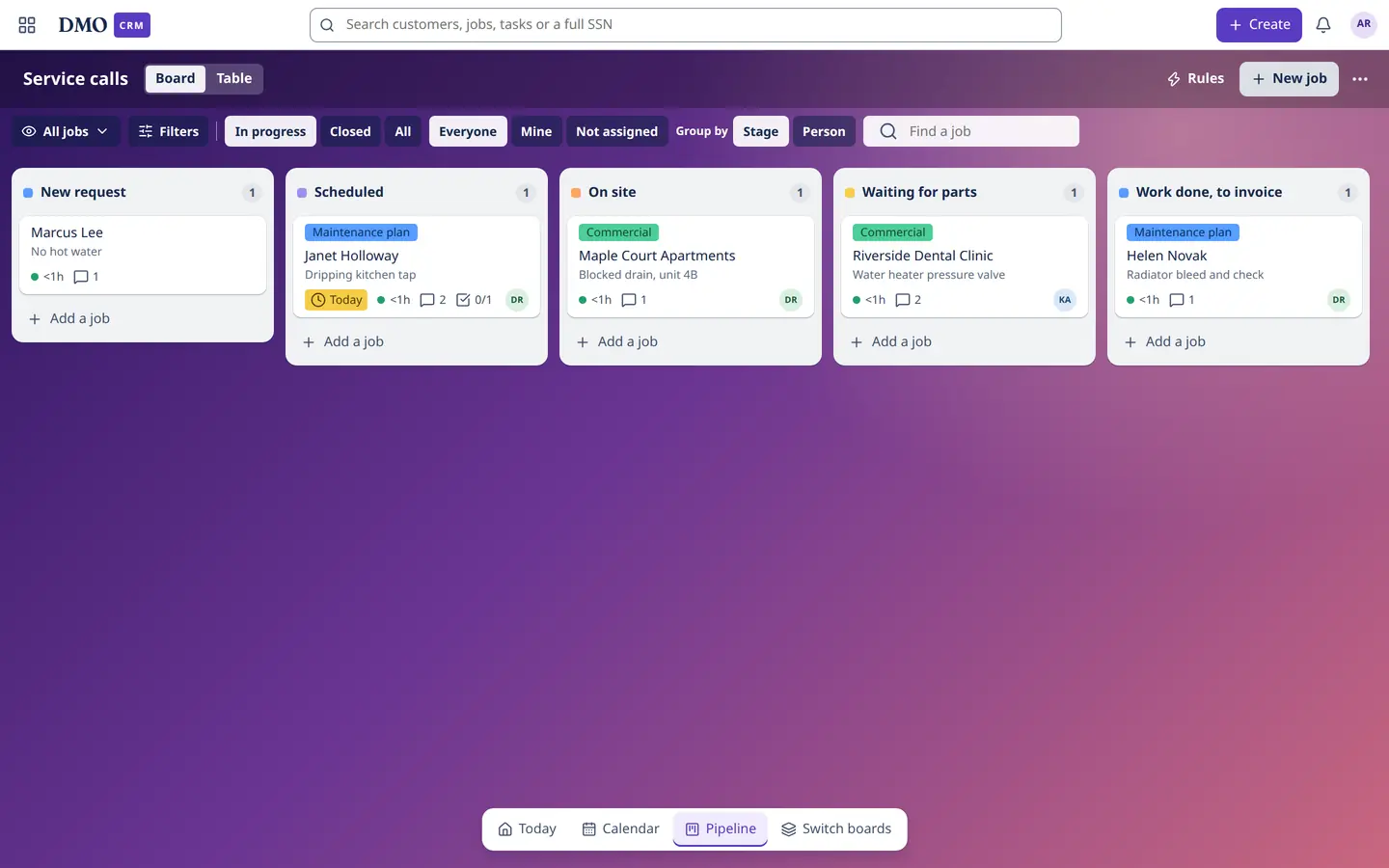
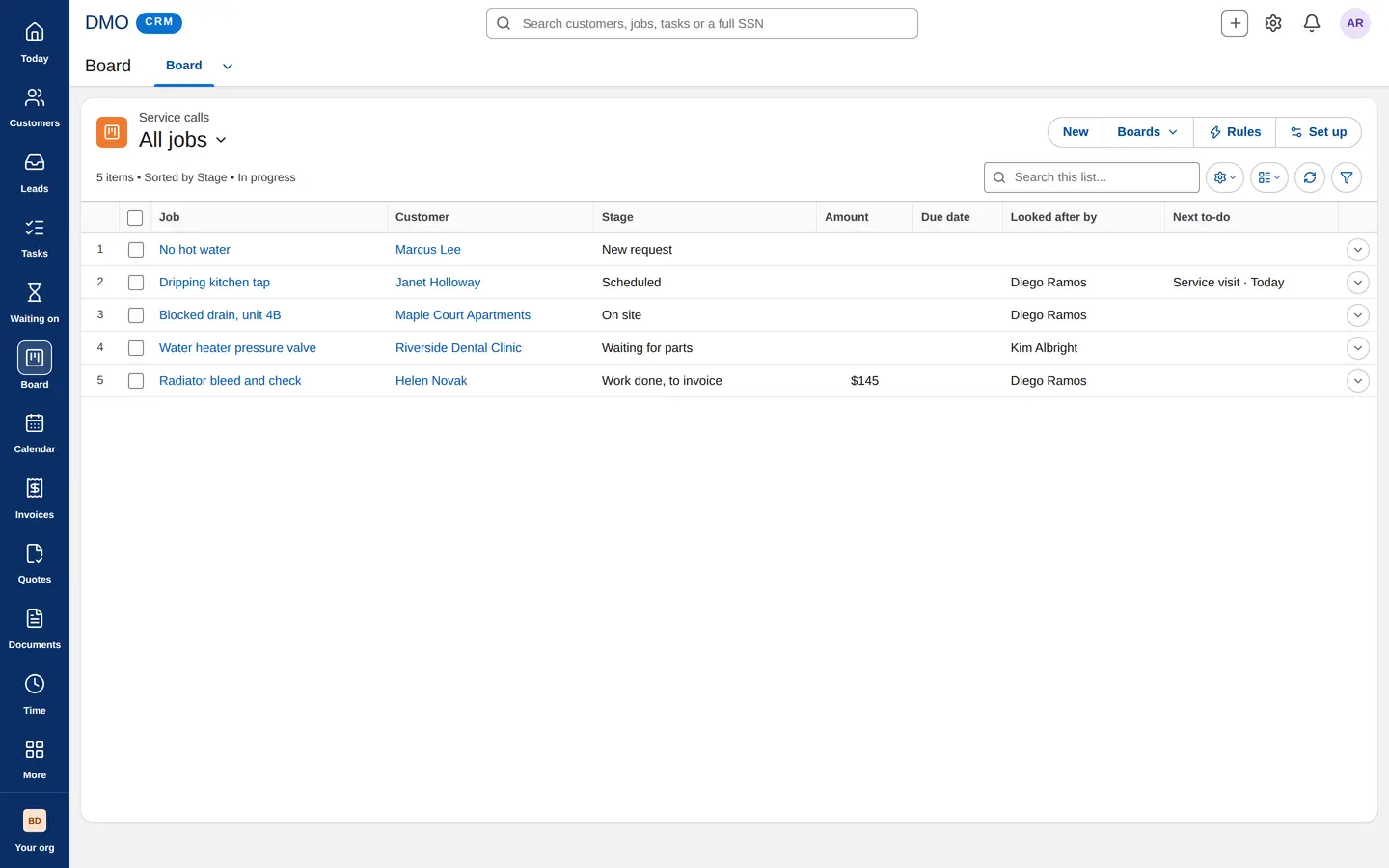
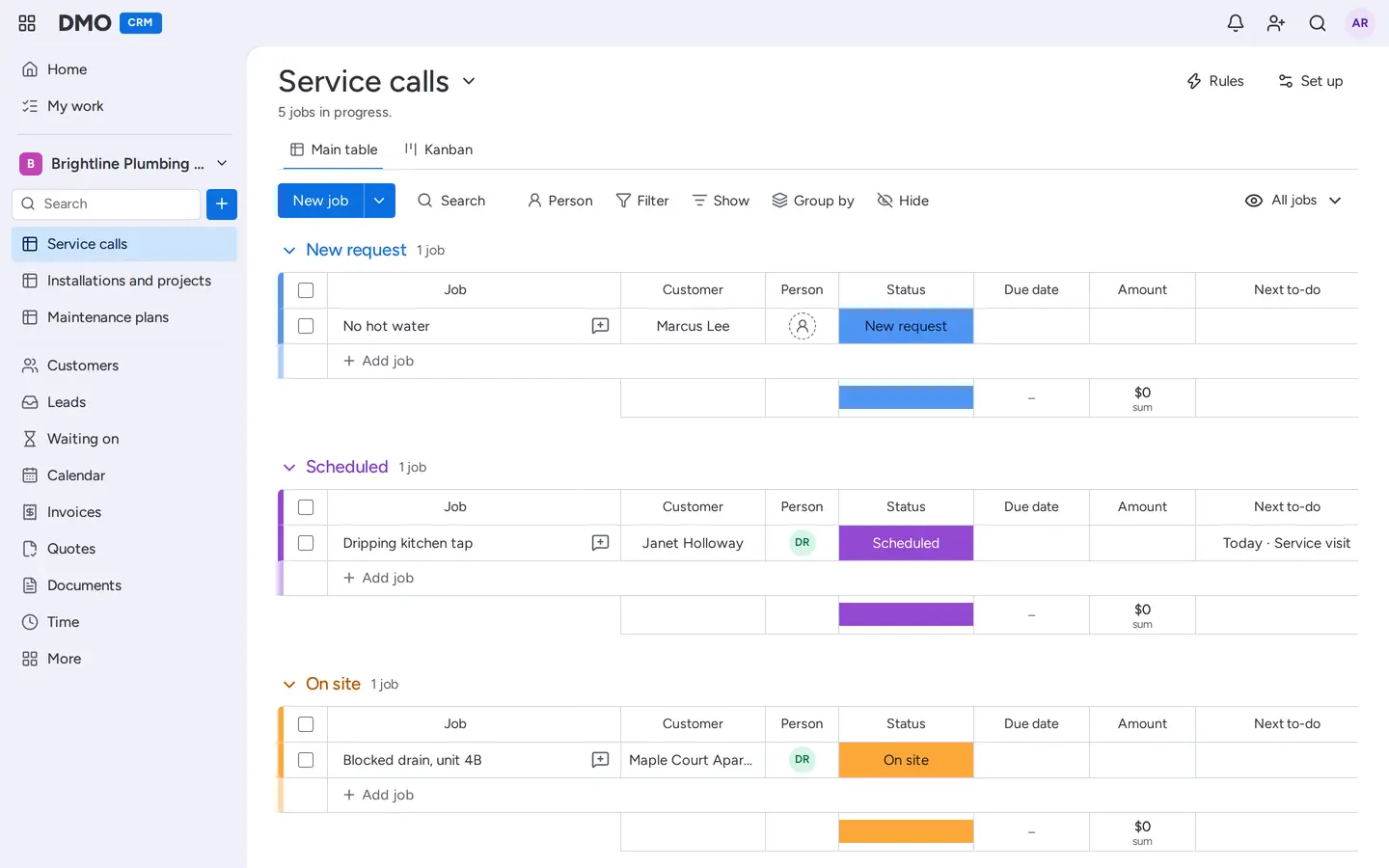
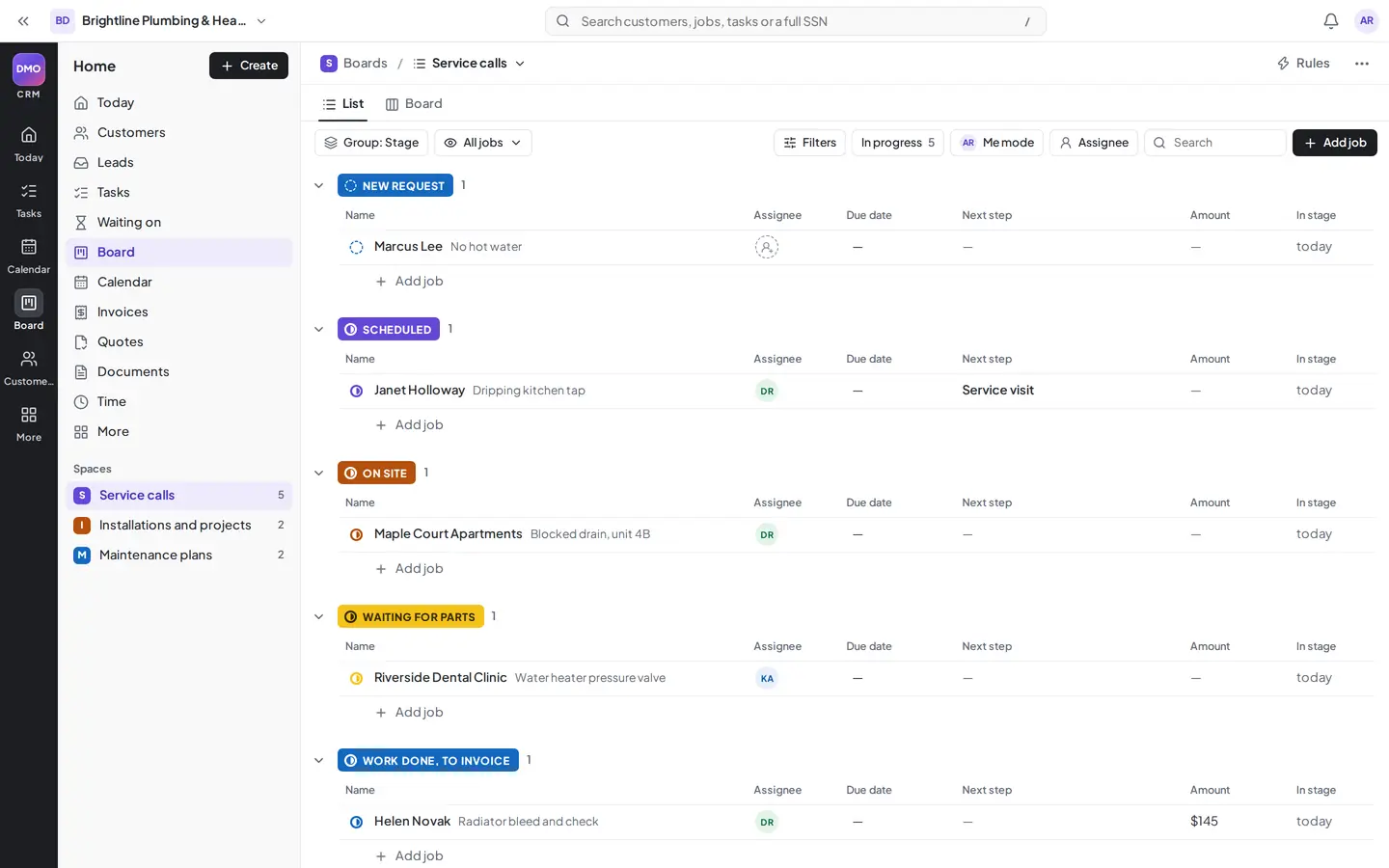
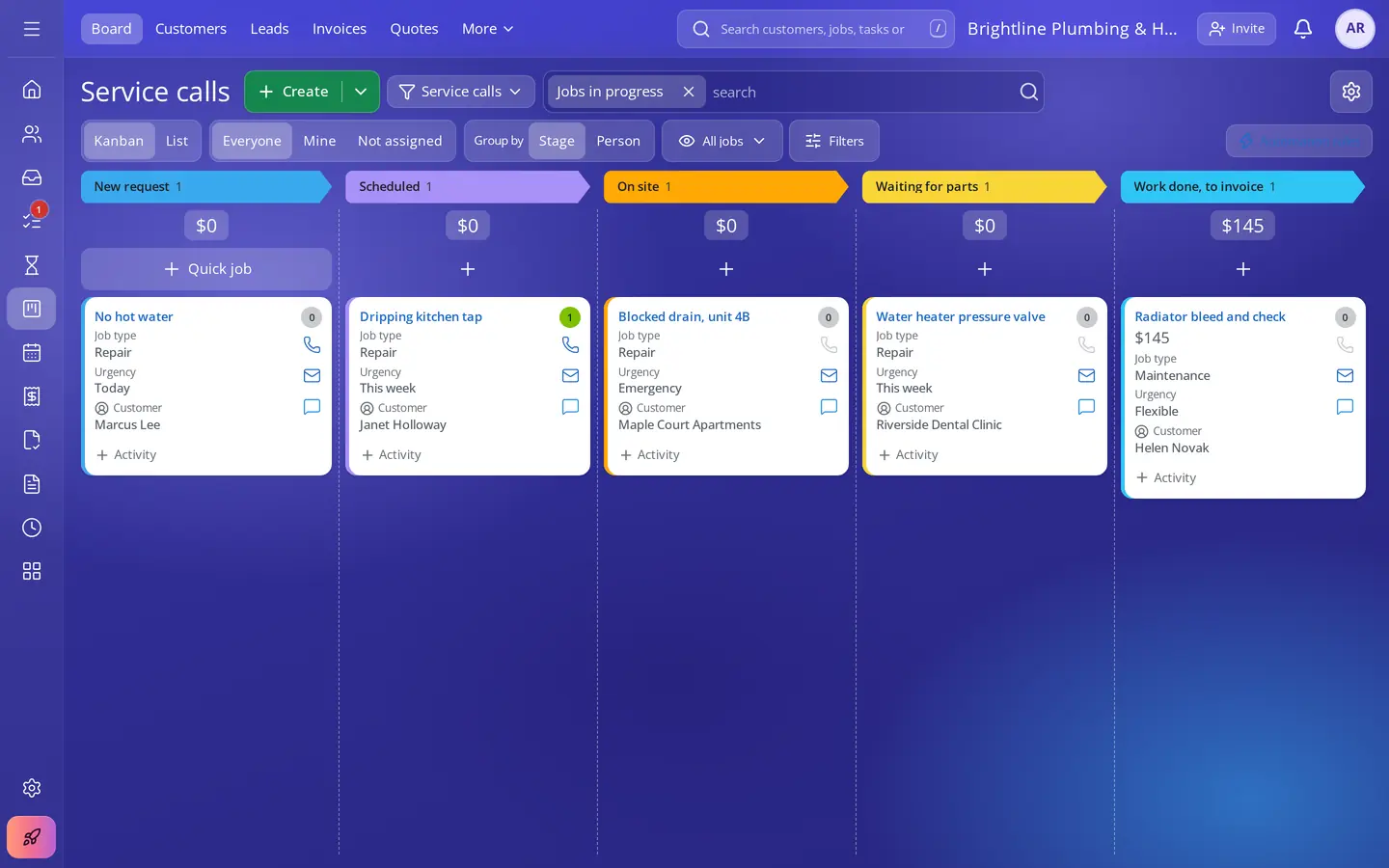
    When you start, DMO CRM asks which look feels like home: seven layouts, each with its own menus and colors. Everyone can change theirs, and pick one of eight themes, a text size and spacing that suit them.

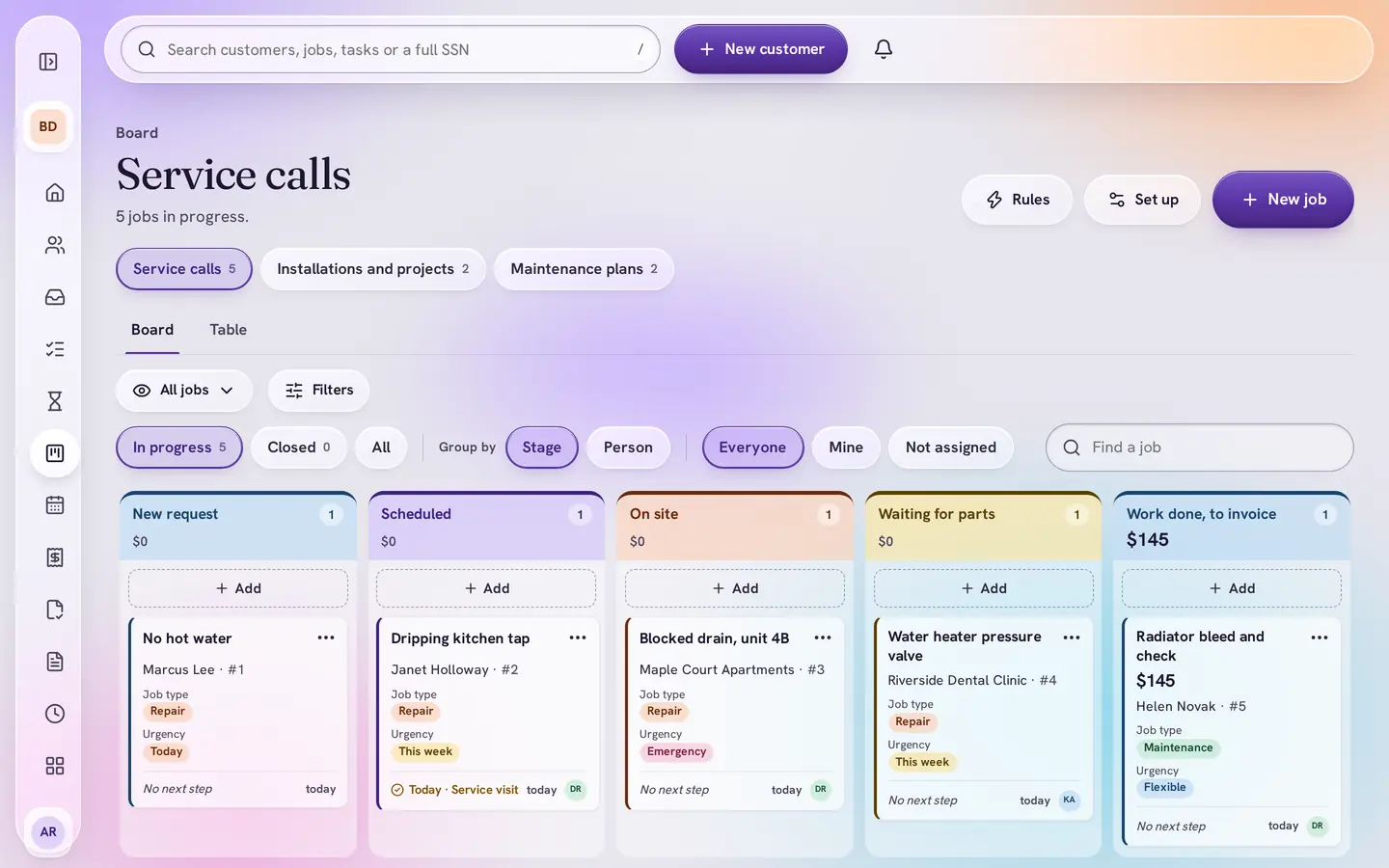
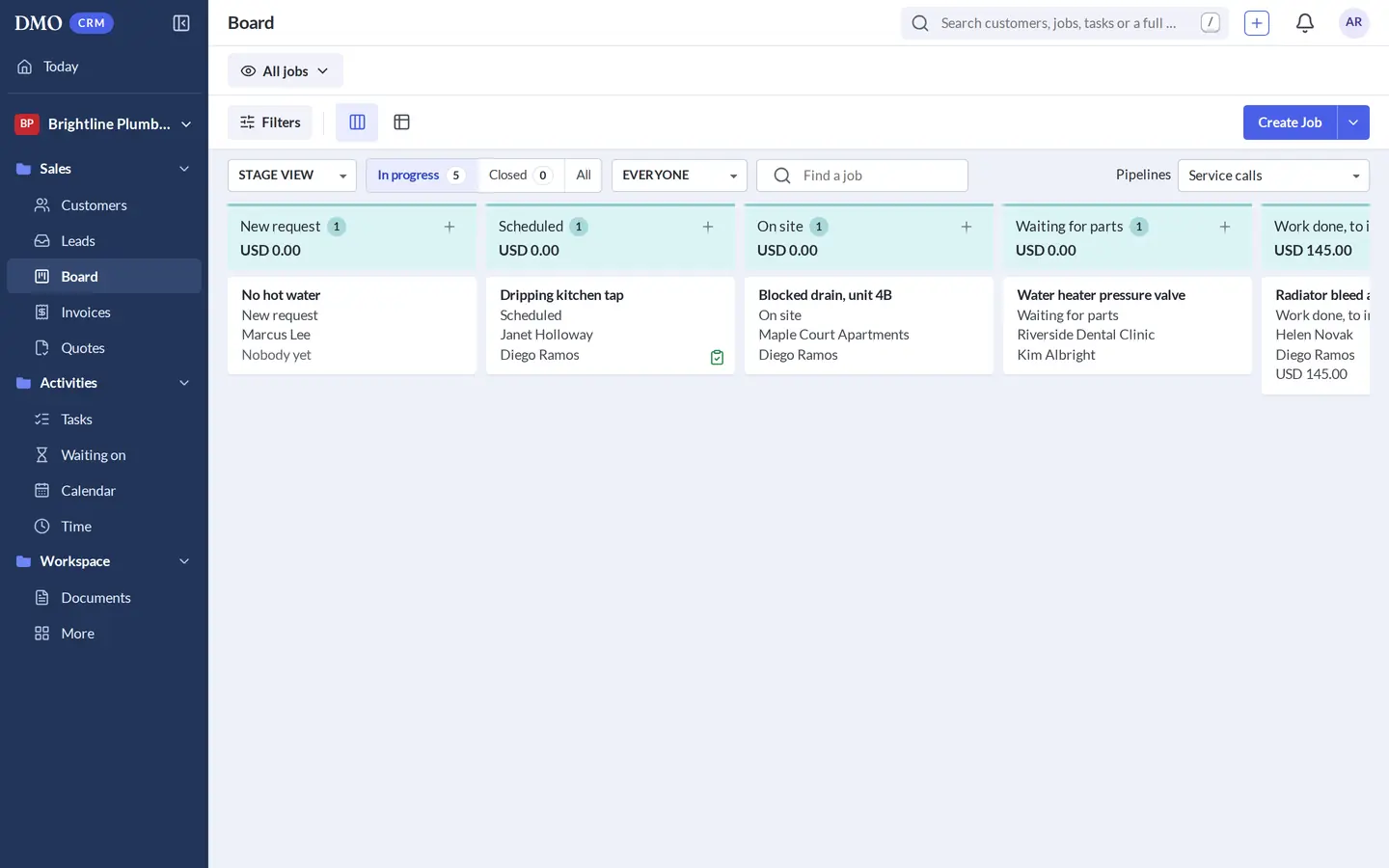
    The Service calls board in DMO CRM's own look with the Glass theme.
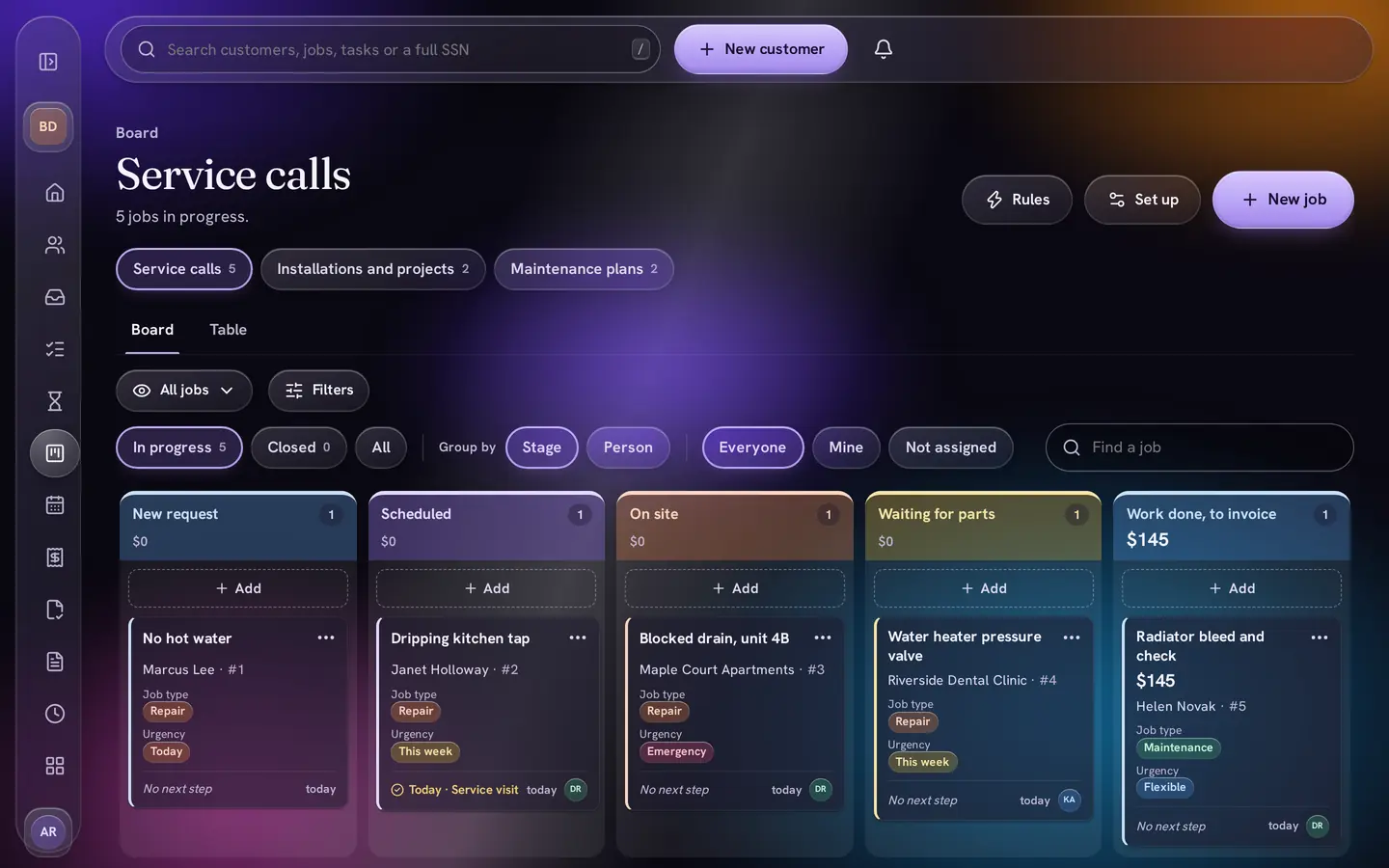
    DMO CRM's own calm look, here in the Glass theme. Eight themes include Glass and Glass Night.

    Every look is DMO CRM underneath: the same clients, jobs and rules. Only the layout and colors change.

    DMO Desk, inside DMO CRM

    Your team chat and inbox, one click from every client

    If your team also uses DMO Desk, its icon sits in the corner of DMO CRM. Tap it and the real DMO Desk opens in a phone-sized panel beside your work: chats, tickets from your shared inboxes, and what needs you. Expand it to the full desktop layout without leaving the tab.

    Marcus Lee's customer page in DMO CRM, with the round DMO Desk icon at the bottom right showing one unread.

    DMO Desk is one tap away

    The DMO Desk icon sits in the corner of every page, with what is new for you. Drag it wherever suits you.

    • Drag a client, job, task or document into a chat, or press Discuss in DMO Desk: it arrives as a card with the name, stage and number, checked against what each person may see, never private details
    • New ticket from anywhere, and Tickets for a client from their page
    • Unread count on the icon and a short ping when something new arrives, with a tone of your choice. A ping opens the exact chat
    • Email replies your team sends from DMO Desk show on the client's timeline in DMO CRM
    • Move the icon and the panel where you like and resize it from any edge; DMO CRM remembers

    DMO Desk is its own DMO app with its own plan, and comes with Platinum. Switch on DMO Desk under Add-ons in DMO CRM to connect the two.

    Duplicate control In every plan

    World-class duplicate control and monitoring

    DMO CRM finds the same client entered twice, tells you how sure it is, merges with a 30-day undo, and checks for new copies every 15 minutes, so copies from imports and syncs are caught too.

    See duplicate control

    Integrations

    Works with what you already use

    Two-way calendar sync, meeting links, chat alerts and webhooks are built in, in every plan. Other DMO apps connect with the same sign-in.

    • Google CalendarTwo-way sync for each person, with Google Meet links
    • Apple iCloud CalendarTwo-way sync for each person
    • Calendar subscribe linkYour DMO CRM calendar in any calendar app
    • SlackAlerts in a channel when clients, tasks or jobs change
    • PumbleThe same alerts in Pumble
    • Zapier and MakeSend DMO CRM events on to the apps Zapier and Make connect
    • WebhooksSigned events to your own systems
    • Bring your clientsImports from Google Contacts, Outlook, Apple, HubSpot, Salesforce, Bitrix24, Excel or CSV exports
    • DMO DeskTeam chat and shared inboxes as tickets, docked inside DMO CRM See it
    • DMO SignSend a client's document for e-signature from their page
    • Outlook, Teams and ZoomOutlook calendar sync, Teams and Zoom meeting linksComing soon
    • DMO Business ToolsEdit, merge, split and convert documentsComing later
    • DMO MarketingStrategies, a content calendar, ad copy and postersComing soon
    The Integrations page: add a connection to Slack, Pumble or a webhook for Zapier, Make or your own system.

    Tell your team chat what happens

    Pick Slack, Pumble or a webhook, choose which events to send, and paste the address. Webhooks are signed, so your systems know they came from DMO CRM.

    DMO SI, super intelligence

    DMO SI is where your CRM is going

    DMO SI is the AI helper built into DMO CRM. Tell it how your business works and it sets things up, keeps an eye on every client and learns how your team works. It suggests; you decide. Nothing changes and nothing is sent until you say so.

    • Set up DMO CRM by saying what you want

      Describe your business. DMO SI proposes boards and stages, client fields, follow-ups, invoicing, forms and dashboards, ready for you to check and apply.

    • Ask it about your business

      Ask on Today or the DMO SI page: who owes you money, what is stuck, who has gone quiet. It answers from your own records, shows which ones it used, and may offer one next step: a task, a stage move, a tag or an email draft. Nothing changes until you confirm.

    • Help on every client and deal

      A quick summary, what to do next on a deal, and emails drafted for you to check and send. It only sees what the answer needs: never phone numbers, addresses or private fields.

    • A weekly check-in in your inbox

      Owners, administrators and managers who want it get a short weekly brief by email, and a note in DMO CRM when clients newly go 60 days without any activity.

    • Learns your habits, then offers to take them over

      When your team does the same thing again and again, like moving a job after a task is done, DMO SI offers to turn it into an automation. You say yes or no.

    • Sorts your email into work

      Your shared inboxes become tickets, each linked to its client. DMO SI files new email by your rules, sends a "we got your email" reply if you want one, and drafts replies for a person to approve.

      With DMO Desk

    DMO SI is $12 a month for each paid user, included in your free trial. Add it to your CRM

    New in DMO CRM

    Voice by DMO. Talk, and it types.

    Our own speech model, running on our own private servers instead of a third-party AI platform. Say your note, your job update or your task and it is written out at lightning speed.

    • A voice button on client notes, job updates, call logs, task details and DMO SI's email drafts
    • Teach it your words: tap a word it got wrong, fix it, and it learns the names and terms your team uses
    • Runs on DMO's own servers, not on an outside AI service. In our tests, an 11-second recording is written out in under a second
    • What you say is never sold or shared with other companies

    $5.99 a user a month, with its own 14-day free trial. Add it to your CRM

    One Voice works in both DMO CRM and DMO Desk: a team that has it in one pays once.

    Coming soon

    • Coming soon

      DMO Marketing

      Marketing strategies, a content calendar, ad copy and branded posters for your business, written by AI or by the DMO team. A premium add-on for DMO CRM.

    • Coming soon

      Card payments on invoices

      Your clients pay an invoice by card from a link. Not available yet, and nothing is charged for it today.

    • Coming soon

      DMO Business Tools in DMO CRM

      Edit, merge, split and convert documents, from the same DMO Account.

    Security and privacy

    Your data stays yours

    • Never sold to other companiesWe never sell or rent your data, or your clients' data, to other companies, and share it only with the providers that run the service for us. DMO may use it to suggest other DMO products that could help your business.
    • Walled offEach business's data is kept apart from every other business, checked on every request.
    • Locked downTwo-step sign-in, encrypted connections, and client files encrypted and virus-checked.
    • Private numbers stay privateSIN, SSN and other private fields are encrypted and masked. Showing one takes a personal PIN, is logged, and each field says who may see it.
    • On the recordAn activity log of who did what, and every document download recorded.

    Done for you

    We can set it all up for you

    Not a fan of setting up software? Book a person to do it with you.

    • A live video session at a time that suits you
    • Your organization, users and roles, set up together
    • Your first real tasks, walked through
    • One prepared file of your clients or contacts imported

    Guided setup: $149 once, up to 60 minutes. Moving data from another system, cleaning data and more sessions are quoted separately.

    See guided setup and services

    Start with what you need. Add the rest when you are ready.

    Industry kits, Board, Calendar, Invoicing, Quotes, Leads, Booking page, Projects, Documents and Reports are in every plan. Add the paid ones only if you use them.

    14-day free trial, no card needed. If the trial ends without a plan, your CRM becomes read-only: you can still see and export everything.